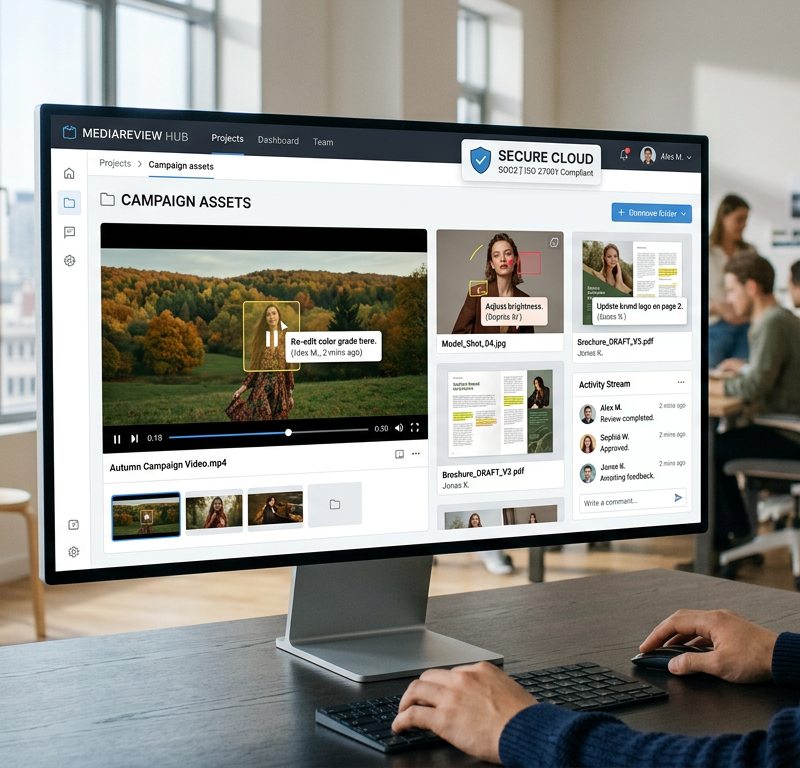
Your studio has reviewed every cut in Wipster for two years. Clients pin their notes to the frame, and the editor works through them in Premiere Pro. Now six people upload cuts, the features the team wants sit in the per-user Team plan, and the client’s brand team asks where the review files are stored. That is usually when a studio starts comparing Wipster alternatives.
Wipster is a capable video review tool, and for some teams it stays the right one. Below are five alternatives with pros, cons and entry prices, checked on 23 November 2026.
Why teams look for a Wipster alternative
Wipster does the core job well, with frame-accurate comments, unlimited reviewers and a review panel for Final Cut Pro and Adobe Premiere (Wipster). The reasons to switch are rarely about the review itself.
- Team pricing grows with every user. Light costs $9.95 a month on annual billing or $11.95 on monthly billing, and Team $19.95 per user a month on annual billing or $25 monthly (Wipster pricing). For six people on Team that is 6 × $19.95 = $119.70 a month. Custom branding and team-only comments are listed under Team, not Light.
- There is no free plan. Wipster offers a free trial without a credit card, but no plan that stays free after it (Wipster pricing). Freelancers who review now and then may prefer a plan that stays free.
- The videos already live somewhere else. If finished films are hosted on Vimeo or the project folders sit in Dropbox, the review tool built into that platform saves an upload and a login.
- Clients ask where their files are stored. Wipster’s security page names Microsoft Azure as its cloud provider and mentions geographic redundancy, but no region (Wipster security). If a client wants its files kept in the EU under the GDPR, clarify this before the project starts.
How we evaluated the alternatives
We looked at each tool as a video studio that reviews cuts with clients, using five criteria:
- File types: what the tool reviews next to video.
- Client access: comments through a link without an account.
- Editing software: integrations with Premiere Pro, Final Cut Pro or DaVinci Resolve.
- Approvals and versions: how a decision is recorded.
- Pricing model and free entry: per user, per plan or per company, and whether a free plan exists.
For Wipster and draftgo we also note what each says about where files are stored. All information comes from the vendors' own pages as of 23 November 2026, in the currency each page showed. draftgo is our product, and it gets pros and cons like every other tool here. The order is not a ranking: it runs from the video specialist closest to Wipster to the review tools of a video or storage platform, then to two tools that review video alongside other files.
Wipster alternatives compared
| Tool | Suited for | Free entry | Pricing model | Entry price, as of 23 Nov 2026 |
|---|---|---|---|---|
| Wipster, for reference | video review with unlimited reviewers | free trial, no free plan | Light one price, Team per user | Light $9.95 a month, annual billing |
| Frame.io | video teams editing in Premiere Pro or Final Cut Pro | free plan: 2 members, 2 GB, 2 projects | per member | Pro $15 per member a month plus tax |
| Vimeo Review | teams that host finished videos on Vimeo | one review link per video without a paid plan | per plan | Free plan; paid plans on Vimeo’s plan page |
| Dropbox Replay | teams whose projects sit in Dropbox | 4 or 10 files on every Dropbox plan | add-on per user on a paid Dropbox plan | €9 per user a month, billed annually |
| Filestage | review rounds with due dates and reminders | free plan: 1 active project, 5 new files a month | per plan, 10 team members included | Starter €199 a month, yearly billing |
| draftgo | agencies approving video together with PDFs and images | permanent Free plan | per company | see the draftgo entry below |
The 5 Wipster alternatives in detail
1. Frame.io: suited for video teams that edit in Premiere Pro or Final Cut Pro
Frame.io belongs to Adobe. Its pricing page lists integrations with Premiere, Final Cut Pro and Lightroom, frame-accurate comments, annotations and version comparison, and the Free plan already includes Camera to Cloud, which uploads takes from the set. Pro costs $15 per member a month plus tax for up to five members and Team $25 for up to fifteen. Clients open share links without signing up, and Pro adds passphrase-protected and expiring links.
- Pros: integrations with Premiere and Final Cut Pro, Camera to Cloud on the Free plan, protected share links from Pro
- Cons: charged per member like Wipster Team, and Pro stops at five members
- Price: Pro $15 and Team $25 per member a month plus tax (Frame.io pricing)
Our comparison of Frame.io alternatives looks at the same choice from the other side.
2. Vimeo Review: suited for teams that host finished videos on Vimeo
Vimeo Review is the feedback tool built into Vimeo. Reviewers open a review link and comment at a timecode without a Vimeo account once they have entered their name and email, and with the “Change status” option switched on they can mark the video as approved (Vimeo help). Replacing the file keeps the same address and the comment history, and a Vimeo panel pulls the comments onto the Premiere Pro timeline as markers (Vimeo).
The Free plan includes one review link per video, and more links, passwords and your own logo come with paid plans (Vimeo plans).
- Pros: the review happens where the film is hosted, one link from the first cut to the last, comments reach Premiere Pro as markers
- Cons: built for videos you host on Vimeo, more than one review link per video needs a paid plan
- Price: a Free plan with one review link per video, paid plans on Vimeo’s plan page
Plans and review features are covered in our article on Vimeo Review.
Try it yourself: In the demo you work in a real draftgo workspace with sample data.
3. Dropbox Replay: suited for teams whose projects already sit in Dropbox
Dropbox Replay is the review tool inside Dropbox. Reviewers leave frame-by-frame feedback and on-screen markups in the browser without a Dropbox account, and in a live review session everyone comments on the same file at the same time (Dropbox help). Editors work through the comments inside Premiere Pro, After Effects, Final Cut Pro, DaVinci Resolve, Pro Tools or LumaFusion.
Replay is open on every Dropbox plan with a limit of 4 files, or 10 on Essentials, Business and Business Plus (Replay FAQ). The Replay add-on costs €9 per user a month billed annually or €11 billed monthly and needs Dropbox Plus or a higher plan (Dropbox Replay).
- Pros: files stay in your Dropbox, live review sessions, six editing apps including DaVinci Resolve
- Cons: the add-on comes on top of a paid Dropbox plan, and its cost grows with every user
- Price: €9 per user a month billed annually, plus the Dropbox plan (Dropbox Replay)
Our Dropbox Replay vs Frame.io comparison has the details.
4. Filestage: suited for teams with review rounds, due dates and reminders
Filestage reviews videos, images, designs, documents, websites, interactive HTML and audio in one platform, and reviewers give feedback without an account (Filestage pricing). Starter costs €199 a month on yearly billing or €249 on monthly billing and adds unlimited projects, due dates and reminders, version comparison and password-protected review links. Every plan includes 10 team members, and the free plan allows one active project and five new files a month.
- Pros: due dates, reminders and version comparison from Starter, 10 team members on every plan
- Cons: a team of three pays the same Starter price as a team of ten, and the free plan holds one active project at a time
- Price: Starter €199 and Business €329 a month on yearly billing (Filestage pricing)
Each plan is broken down in our article on Filestage pricing.
5. draftgo: suited for agencies that approve videos together with PDFs and images
draftgo is an online proofing platform for agencies, freelancers and in-house teams. Your team uploads videos, audio files, images and PDFs, captures a publicly accessible website as a screenshot or adds a social media post with up to 20 images. A file can be up to 500 MB, and the browser compresses a video of up to 800 MB before it uploads. Clients comment through a link without an account: in a video at a point on the timeline, accurate to the second, on an image as a pin or rectangle and in a PDF as a highlight.
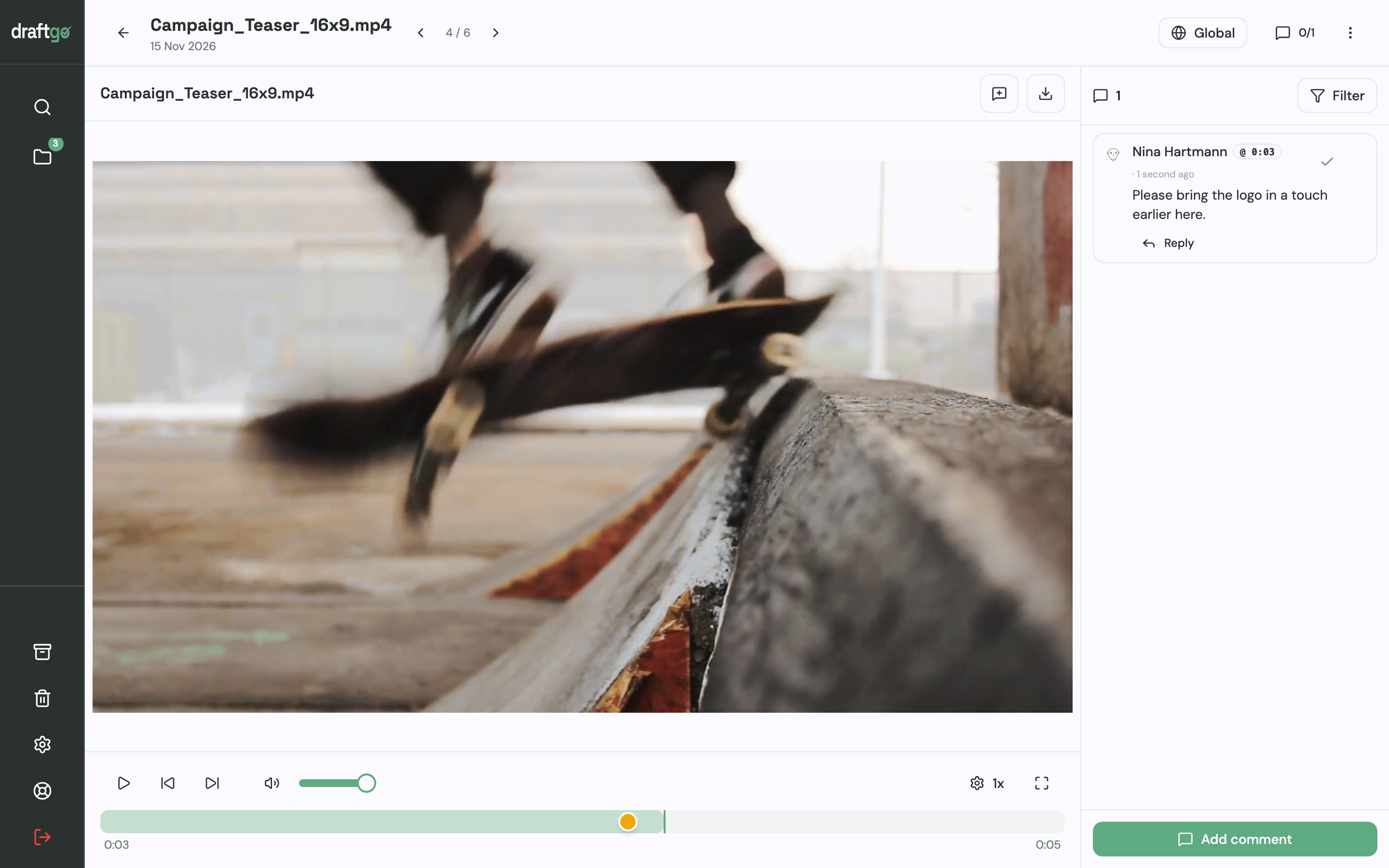
Approvals run in loops, for example internal first and client second. For each loop you decide whether all approvers, a set number or any one of them must approve, separately for your team and for guests. The person who decides gets a personal approver link, and everyone who only comments shares a viewer link. Each recut becomes a new version of the same file and starts the approvals again, and the activity log keeps approvals, comments and versions with the person and the time.
Pricing is per company, not per user. Internal users are capped by plan (Free 1, Freelancer 1, Agency 5, Team 15), and guests are unlimited from the Freelancer plan. Stored data is kept on EU servers in the Frankfurt data centre.
- Pros: video, audio, PDFs, images, website screenshots and social posts in one project, an approval rule for each loop, one price per company, a permanent Free plan
- Cons: comments sit on the second rather than the frame, with no markings on the video image, and there is no panel in editing software, so editors upload exported cuts
- Price: a permanent Free plan and paid plans you can test free for 14 days, all listed on draftgo pricing
Wipster and draftgo compared
| Criterion | Wipster, as of 23 Nov 2026 | draftgo |
|---|---|---|
| File types | video, audio, PDFs, images (pricing) | video, audio, PDFs, images, website screenshots, social media posts |
| Comments on video | frame-accurate, timestamped, pinned to a frame or spot (Wipster) | at a point on the timeline, accurate to the second |
| Editing software | panel for Final Cut Pro, extension for Premiere Pro and After Effects, Slack (integrations) | no panel, editors upload exported files |
| Approvals | multi-step approvals with a record of who approved (Wipster) | loops with set approvers and a rule per loop, separately for team and guests |
| Versions | two versions compared side by side (Wipster) | versions of the same file, a new version restarts the approvals, no side-by-side view |
| Reviewers | unlimited on every plan, no account needed (pricing) | guests unlimited from the Freelancer plan, 5 guest accesses on Free |
| Pricing model | Light one price, Team per user, free trial | one price per company, permanent Free plan, 14-day trial of the paid plans |
| Data location | Microsoft Azure, no region named (security) | GDPR-compliant, data stored on EU servers (Frankfurt data centre) |
Wipster is ahead where the work stays inside the edit: notes on the exact frame, a panel in the editing app and two cuts side by side. draftgo fits better when one client job mixes video with PDFs, images and website screenshots, when internal and client rounds each need their own approval rule, and when the price should stay the same up to five team members. Our page draftgo vs Wipster goes through both tools point by point.
Which alternative fits you?
| Your situation | Tool to test first |
|---|---|
| Your editors want client notes inside Premiere Pro or Final Cut Pro | Frame.io, or stay with Wipster |
| Your finished films are hosted on Vimeo | Vimeo Review |
| Projects live in Dropbox, and editors cut in DaVinci Resolve | Dropbox Replay |
| Large review rounds need due dates and reminders | Filestage |
| An agency approves spots, PDFs and images with clients at one price per company | draftgo |
More tools for comments on video are in our comparison of video feedback tools.
Practical example: a five-person studio and a bike maker’s campaign
A five-person video studio produces a spring campaign for a bike maker: a 30-second spot, three vertical cutdowns for social media and a PDF poster for bike shops. The client’s marketing manager approves, a product manager checks the technical details, and the studio’s creative director signs off every file first.
On Wipster Team the studio would pay 5 × $19.95 = $99.75 a month on annual billing, on Frame.io Pro 5 × $15 = $75 a month plus tax (Wipster pricing, Frame.io pricing). If the editors wanted every note inside Premiere Pro, one of these two would win. This studio wants the client to approve all five files in one place, in two rounds, at one price for the company rather than per user.
In draftgo, the five files go into one project with an internal loop for the creative director and a client loop for the marketing manager, which the Agency plan covers with five users and unlimited loops. The marketing manager gets a personal approver link, and the product manager opens the shared viewer link, so he can comment without approving. He notes at 0:14 of the spot that the number of gears shown on screen is wrong and marks the same figure on the poster. After the new versions, the creative director approves internally and the marketing manager approves all five files in the client loop, which the activity log records with name and time. How production teams set up such projects is shown on draftgo for video production.
FAQ
How much does Wipster cost?
Light costs $9.95 a month on annual billing or $11.95 monthly, and Team $19.95 per user a month on annual billing or $25 monthly, as of 23 November 2026 (Wipster pricing). Reviewers are unlimited on every plan, and the free trial needs no credit card.
Is there a free Wipster alternative?
Yes, with limits. As of 23 November 2026, Frame.io’s Free plan covers 2 members and 2 GB, Filestage’s free plan one active project, and Vimeo’s Free plan one review link per video (Frame.io, Filestage, Vimeo help). draftgo has a permanent Free plan with one user, one loop per project and 5 guest accesses.
Do clients need an account to review videos?
No. Wipster says reviewers don’t need an account, and Frame.io, Vimeo Review, Dropbox Replay, Filestage and draftgo also let reviewers comment through a link without creating one. Send a test link to a colleague who plays the client before you decide.
Conclusion
If your editors live in Premiere Pro or Final Cut Pro and most jobs are video only, compare Wipster with Frame.io, or with the review tool of the platform that already holds your files. If your client jobs mix video with PDFs and images and clients approve in stages, run one live project through draftgo and compare the rounds.
Try it free – draftgo is free for 14 days, no credit card needed.
Written by
Emilia
Content Producer
Ready to streamline your approval processes?
Get started with draftgo today and see how easy professional collaboration can be.