
The new season page goes to the theatre with one line in the email: “Let us know what you think.” Two days later the replies are in. The managing director writes “Nice, maybe a bit busy”, the head of marketing would like “something warmer”, and the box office lead asks for bigger type without saying which text. Each reply is honest, and none of them tells you what to change.
The guessing starts with the request. Design feedback gets precise when the person asking for it sets the goal, the questions and the place where comments go. Here is how to do that, from the first request to the moment two comments contradict each other.
What is good design feedback?
Good design feedback is a comment on a specific element of a draft that says what does not work and why, measured against the goal of the project. “On a phone the performance dates are hard to find, and the page exists to sell tickets for them” is design feedback you can act on. “It doesn’t feel right yet” is a feeling that still needs translating.
Why design feedback comes back vague
Design feedback can come back vague when the request is vague. Reviewers who are not designers answer the question they were asked, and “What do you think?” invites a verdict on taste.
Four gaps in the request lead to guessing afterwards:
- No yardstick: the draft arrives without the goal, so reviewers judge whether they like it.
- No stage: nobody knows whether the layout is still open or only the copy, so comments land everywhere.
- No questions: reviewers have to decide for themselves what to look at.
- No spot: comments arrive as text in an email and describe the element instead of marking it.
How to get precise design feedback in 6 steps
1. Send the goal with the draft
Open every feedback request with the goal and the audience from the brief, in two sentences. “The page should get people who have never been to the theatre to buy a ticket for the new season. Expect them to arrive on a phone.” Reviewers then check the draft against that sentence instead of their own preferences.
If the goal was never written down, fix that first. A creative brief template with the questions to settle gives you the fields, from audience to key message.
2. Say what is open and what is fixed
Tell reviewers what stage the design is at: in a first round structure and visual direction are open, in a later round only details and errors. Name what is already agreed, such as the brand colours, so nobody spends comments on it.
For a first concept, a live presentation explains your reasoning before anyone comments. The guide to presenting creative work to a client covers that meeting.
3. Ask three to five targeted questions
Replace the open question with three to five specific ones, chosen for the stage and the type of design. Each question should be answerable with a short sentence and a mark on the draft.
| Area | Question to ask | What the answer tells you |
|---|---|---|
| First impression | “What do you notice first, and is that the thing that matters most?” | Whether the visual hierarchy works |
| Message | “After five seconds, what does this page offer, and to whom?” | Whether the key message comes across |
| Call to action | “Where would you click to buy a ticket? Was it easy to find?” | Whether the main action stands out |
| Readability | “Is any text hard to read on your phone or at a distance?” | Where size or contrast needs work |
| Imagery | “Do the photos fit the people this is meant for?” | Whether the image style suits the audience |
| Content | “Is any fact, price or name wrong or missing?” | What the specialist reviewers must check |
Ask the questions in the reviewer’s words, not in design terms. “Does anything feel crowded?” gets a clearer answer than “How is the white space?”
Try it yourself: In the demo you work in a real draftgo workspace with sample data.
4. Give each reviewer their own questions
The product expert checks facts, the person responsible for the brand checks colours and tone, and the person who signs off answers whether the draft meets the goal. Name that person in the request, so everyone knows whose word settles a question.
Who decides should be clear before the project starts. The guide to stakeholder alignment on goals and decision rights shows how to agree it at the kick-off.
5. Ask for comments at the spot
Ask reviewers to place each comment directly on the element it is about. A pin on the button with “gets lost next to the photo” leaves no doubt about which button, and a rectangle around a block of text shows the area at once. For websites this works on a screenshot of each page, and the overview of website feedback tools for live sites and screenshots compares the two ways.
Set a date for the feedback and ask for one comment per point, so each one can be closed on its own.
6. Follow up vague comments and settle contradictions
Reply to every vague comment with a question before you change anything. “When you say busy, do you mean the top section or the whole page?” can get you a precise answer the same day, and it saves a round built on a guess.
When two comments contradict each other, do not pick one yourself. Point out the conflict to both reviewers and let the person who signs off decide, then note the decision next to the comment. How to sort, prioritise and close a larger set of comments is covered in the guide to feedback management for creative projects.
Feedback request mistakes and better practice
Each fix takes a sentence or two in the request.
| Mistake | Better practice |
|---|---|
| One list of questions for the whole client team | Each reviewer gets the questions for their own area |
| Questions about everything in the first round, from concept to commas | Direction first, details and errors in a later round |
| Several points packed into one long comment | One comment per point, so each can be closed on its own |
| Vague comments implemented as read | A follow-up question before the change |
Practical example: a season and ticket page for a regional theatre
Take a four-person web studio that redesigns the season and ticket page of a regional theatre. Three people at the theatre review it: the managing director, who signs off, the head of marketing, who knows the season’s productions, and the box office lead, who answers questions from ticket buyers every day.
The studio captures the page as a mobile and a desktop screenshot and sends one request with the goal from the brief: people who have never been to the theatre should buy a ticket for the new season on their phones. The layout is open, the colours are fixed. The managing director gets the personal approver link and is asked whether the page meets that goal and where she would click to buy a ticket. The head of marketing and the box office lead comment through the shared viewer link: the head of marketing checks the titles, dates and prices of the productions, and the box office lead answers which questions buyers still ask after reading the page.
The box office lead marks the section on concession tickets, which buyers ask about at the counter every week, and the head of marketing corrects two performance dates. The managing director writes “a bit busy” on the mobile version, and the studio asks back. Her answer is precise: the three production photos above the ticket button push it below the first screen. The head of marketing would like to keep all three photos, the managing director decides on one, and the studio notes her decision in the thread. Round two only has to deal with details.
How it works in draftgo
In draftgo, your questions, the reviewers’ comments and each new version stay on the same file.
- Upload the design or capture the page. Upload images, PDFs or videos, or capture a public web page as a screenshot in desktop, tablet or mobile view, up to the full page.
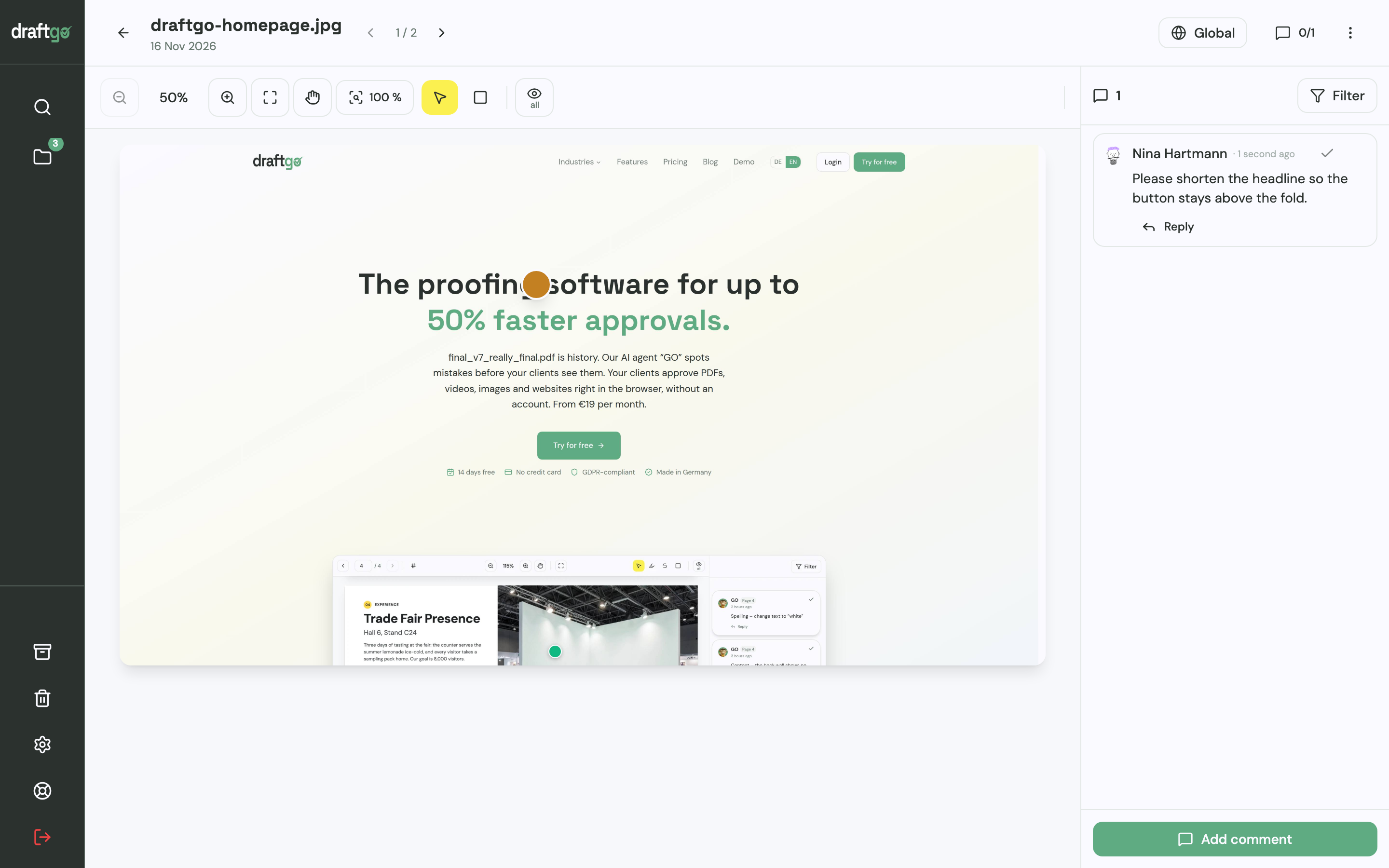
- Post your questions on the file. Add your questions as general comments on the file, so reviewers read them where they answer. Before the client sees the draft, you can start the AI review: its findings, for example on spelling, cut-off text or very small type, appear as comments from our AI agent “GO”, and its pages come with the plans from Freelancer on.
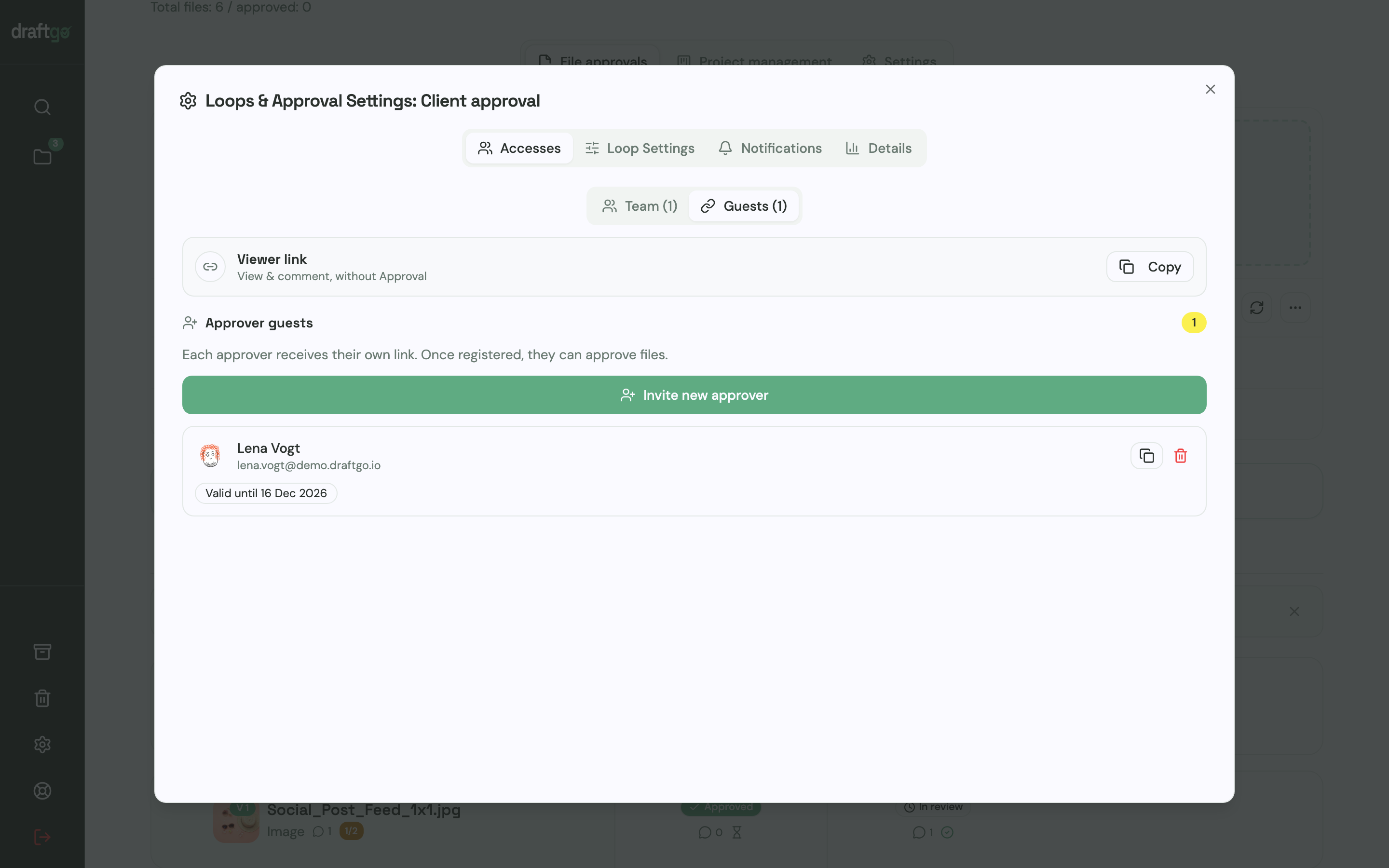
- Invite the reviewers. The person who signs off gets a personal approver link with name and email address and may approve. Everyone else who should comment gets the shared viewer link, which lets them comment without approving. Nobody needs an account.
- Collect comments at the spot. Reviewers place a pin or a rectangle on an image or screenshot, highlight or strike through text in a PDF, or comment at a point in a video. You ask a follow-up question in the thread, bring in a colleague with an @mention and mark a comment as resolved once it is done.
- Know when the feedback is complete. If you switch it on for the loop, guests report with “Client feedback finished” that their feedback is complete.
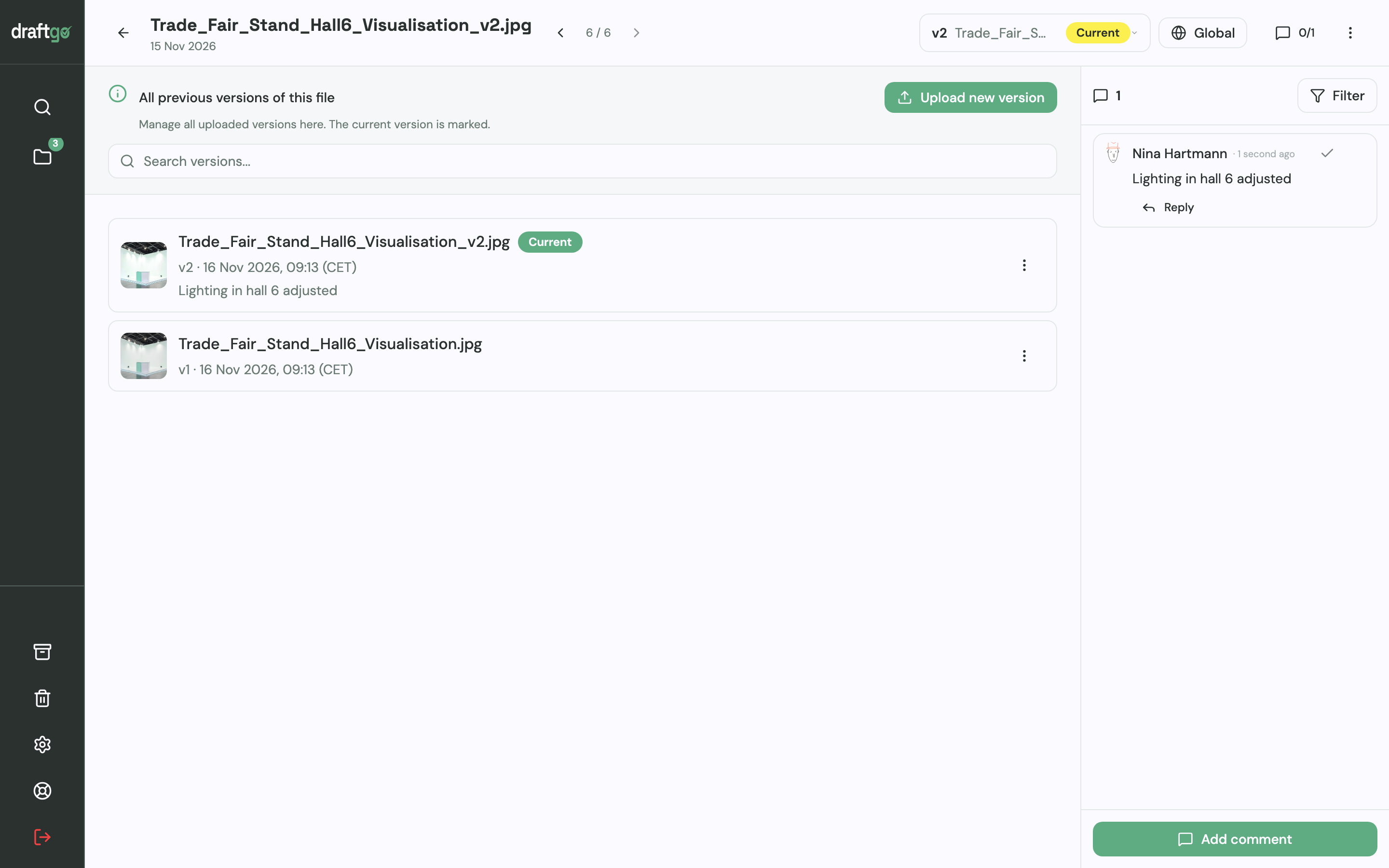
- Upload the next round as a new version. The revised design goes onto the same file with a note on what changed. Earlier versions stay available with their comments, and the approvals start again for the new version.
A captured page is an image of the site, so clickable details such as forms are best checked on the staging site. The page draftgo for web design and UI/UX review shows how design teams set up their reviews.
FAQ
How do you ask a client for design feedback?
Send the draft with the goal from the brief, say what is open in this round and ask three to five specific questions. Ask the client to place each comment on the element it is about and give a date for the feedback. Name the person who makes the final decision.
Which questions should go with a design you send for review?
Ask what reviewers notice first, whether the main message comes across within a few seconds and whether the main action is easy to find. Add questions about readability on a phone and about facts such as prices or names. Choose the questions that fit the stage of the design.
What do you do with vague design feedback?
Ask back before you change anything, for example which part of the page a comment refers to or what effect the reviewer misses. A short follow-up question can turn “it doesn’t feel right yet” into a point you can design for. Note the answer next to the comment.
When should you ask for design feedback?
Ask as soon as a draft can answer the questions of its stage: a rough layout shows whether the structure works, a detailed draft whether copy and images fit. If you ask for details before the direction is agreed, reviewers can spend comments on parts that change anyway. Name the stage in every request, so reviewers know which kind of comment helps now.
Conclusion
Precise design feedback starts with the request: the goal from the brief, the stage of the draft, a few targeted questions and comments placed on the design. For your next round, replace “Let us know what you think” with three questions from the table above and tell each reviewer which ones are theirs.
Try it free – draftgo is free for 14 days, no credit card needed.
Written by
Emilia
Content Producer
Ready to streamline your approval processes?
Get started with draftgo today and see how easy professional collaboration can be.