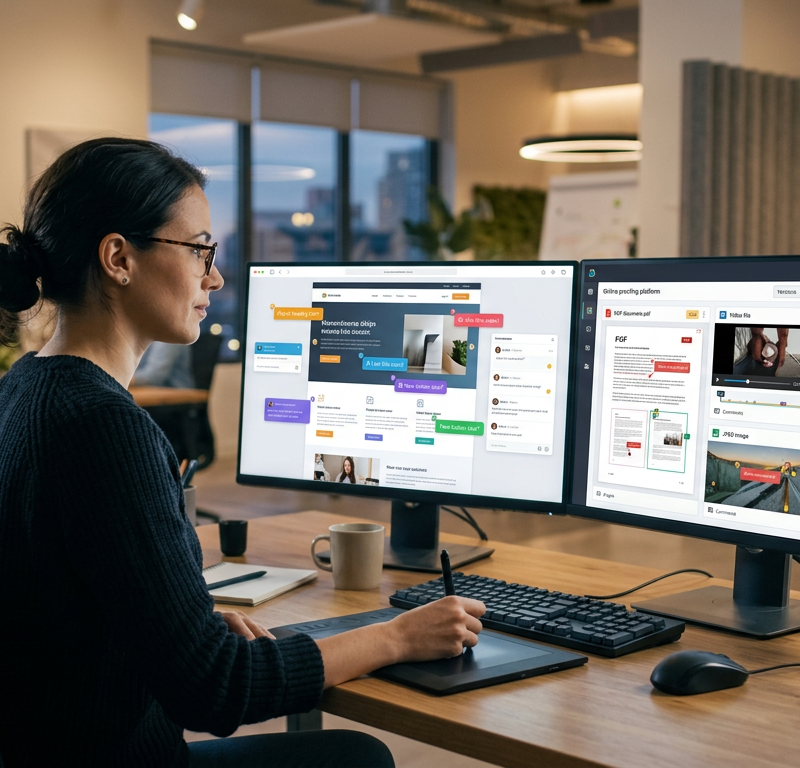
Your agency reviews client websites in Ruttl. You paste the staging address, the client pins comments on the live page, and the developer works through them on the board. Then the same client sends a 30-second launch video and a print brochure, and asks who approved which version of the home page. That is usually when agencies start comparing Ruttl alternatives.
Ruttl is a capable tool for feedback on live websites, web apps and mobile apps, and for many web teams it stays the right one. Below are six alternatives with pros, cons and entry prices, checked on the vendors' own pages on 23 November 2026.
Why teams look for a Ruttl alternative
Ruttl covers many project types. You paste a URL to comment on a live site, add a script to review a web app, and install an NPM package so testers report bugs inside a mobile app with the device name and resolution attached (Ruttl web apps, mobile apps). Images and PDFs get comments too, and clients join through a link without signing up (Ruttl). If that mix is your daily work, there is little reason to move. The reasons to switch usually lie elsewhere.
- Pro is billed per user. Pro costs $18 per user a month, with up to 50 users and unlimited projects and guests (Ruttl pricing). For a team of five that is 5 × $18 = $90 a month.
- The free plan is for trying it out. Basic holds one project, and versioning and the 15 device sizes start with Pro (Ruttl pricing).
- Video files are not a project type. The plans list websites, mobile apps, PDFs and images. Screen recordings work as comments, but a finished cut needs a tool that plays the video, such as MarkUp.io or draftgo.
- Print PDFs get large. Ruttl takes PDFs of up to 50 MB on Pro and 100 MB on Business (Ruttl pricing), and a brochure with high-resolution images can be bigger.
- The client signs off, not only comments. Before a launch, many clients approve layout, copy and print files in stages, and the agency wants a record of who approved which version.
How we evaluated the alternatives
We looked at each tool as an agency or freelancer that collects client feedback on websites and the files around them:
- How the page is reviewed: a link to the live site, a widget or extension, or a screenshot.
- Client access: comments without an account.
- Other files and apps: PDFs, images, videos and mobile apps in the same tool.
- Approvals and versions: how a decision and a new version are recorded.
- Pricing model and free entry: per user, per plan or per company, and whether a free plan exists.
All information comes from the vendors' own pages as of 23 November 2026. draftgo is our product, and it gets pros and cons like every other tool here. The order is not a ranking: two tools that open the live site from a link come first, then three tools built around bug reports, then draftgo, which reviews a screenshot next to other files.
Ruttl alternatives compared
| Tool | Suited for | How the page is reviewed | Free entry | Entry price, as of 23 Nov 2026 |
|---|---|---|---|---|
| Ruttl, for reference | live sites, web apps and mobile apps | paste a URL, a script for web apps, an NPM package for mobile apps | free Basic plan, 1 project | Pro $18 per user a month |
| MarkUp.io | link-based reviews of websites, PDFs and videos | drop a link, Chrome extension | 14-day trial | Pro from $79 a month |
| Pastel | client approval on the live site | enter a URL | free plan, 1 canvas | Pro $29 a month, billed yearly |
| BugHerd | client feedback as tasks on a board | extension, or a script for staging | 7-day trial | Standard $42 a month, billed yearly |
| Marker.io | bug reports sent to an issue tracker | snippet, WordPress plugin or extension | 15-day trial | Starter $39 a month, billed annually |
| Userback | feedback from the users of live web and mobile apps | widget, extension, mobile SDK | free plan, 2 seats | Team $39 a month, billed annually |
| draftgo | sign-off of website screenshots next to videos, PDFs and images | screenshot of a public page | permanent Free plan | see the draftgo entry below |
The 6 Ruttl alternatives in detail
1. MarkUp.io: suited for link-based reviews of websites, PDFs and videos
MarkUp is built by Ceros. You drop a link to comment on a live site, upload images, PDFs or videos and pin video feedback to exact timestamps, and guests join without registering (MarkUp). Every plan includes unlimited users, and the price follows the MarkUps you create for review each month. Extra MarkUps cost $4.00 each in batches of 10 (MarkUp pricing).
- Pros: websites, PDFs, images and videos by link, a Chrome extension, unlimited users
- Cons: the pricing page lists no free plan, and the monthly MarkUp allowance sets the price
- Price: Pro from $79 a month for 50 MarkUps or from $990 a year, with a 14-day trial (MarkUp pricing)
2. Pastel: suited for clients who approve the live site by link
Pastel lays comments over the live website through its own proxy, and one canvas holds a whole site (Pastel plans). Reviewers comment without an account, and images and PDFs can be reviewed too (Pastel). Every plan, Free included, lists approvals, feedback deadlines, deadline reminders and a responsive tester. Integrations with Trello, Asana, Jira, ClickUp, Monday and Zapier come with Team.
- Pros: nothing to install, approvals and deadline reminders on every plan, unlimited reviewers
- Cons: Free holds 1 canvas and Pro 3, and Pro includes 2 users
- Price: Pro $29 a month billed yearly or $35 billed monthly, Team from $99 a month billed yearly for 5 users (Pastel plans)
Our Usepastel alternative comparison looks at Pastel from the other side.
Try it yourself: In the demo you work in a real draftgo workspace with sample data.
3. BugHerd: suited for agencies that want client feedback as tasks on a board
BugHerd runs through a browser extension on live sites, or a JavaScript snippet on staging sites (BugHerd). Clients pin feedback to the page without an account, each comment arrives with a screenshot, the browser and the screen resolution, and it becomes a task on a Kanban board. The pricing page lists feedback on Figma designs, PDFs and images on every plan, and Jira, Asana and Linear from Premium.
- Pros: feedback as tasks with technical data, unlimited client users, Figma and PDF feedback on every plan
- Cons: an extension or a script comes first, and Jira, Asana and Linear need Premium
- Price: Standard $42 a month billed yearly or $50 billed monthly for 5 members, Premium $125 a month billed yearly for 25 members (BugHerd pricing)
4. Marker.io: suited for web teams that send client reports to an issue tracker
Marker.io is installed as a code snippet, a WordPress plugin or a browser extension, and clients report without an account (Marker.io). Starter sends issues to Trello, Asana, ClickUp, GitHub, Linear and Notion, while session replay, console logs and Jira start with Team (Marker.io pricing). Eligible agencies can apply for a separate plan for client work at $99 a month billed annually.
- Pros: reports with technical details land in the team's tracker, clients report for free, a plan for agencies
- Cons: developer tools and Jira start with Team, and something has to be installed first
- Price: Starter $39 a month billed annually or $59 billed monthly for 3 team members, Team $149 a month billed annually for 15 (Marker.io pricing)
Our Marker.io, BugHerd and MarkUp.io alternatives look at the same field from each tool's side.
5. Userback: suited for product teams that collect feedback from live web and mobile apps
Userback collects feedback through a widget on your website or app and a browser extension, with annotated screenshots and video recordings (Userback pricing). The Free Forever plan covers 2 sites and 2 seats and keeps feedback for 7 days. Session replay and a two-way Jira sync start with Business, and the mobile SDK for feedback from mobile apps comes with Business Plus.
- Pros: a free plan, websites, web apps and mobile apps in one tool
- Cons: the free plan keeps feedback for only 7 days, and the mobile SDK starts with Business Plus
- Price: Team $39 a month billed annually or $49 billed monthly for 5 seats, Business Plus $159 a month billed annually (Userback pricing)
6. draftgo: suited for agencies that sign off websites together with videos, PDFs and images
draftgo is an online proofing platform for agencies, freelancers and in-house teams. It captures a publicly reachable page as a screenshot, as desktop, tablet or mobile, either the full page up to 10,000 pixels high or the visible area, and your team and clients comment on the image with a pin or a rectangle. The same project holds videos, audio files, images and PDFs of up to 500 MB per file. Video comments sit at a point on the timeline, accurate to the second.
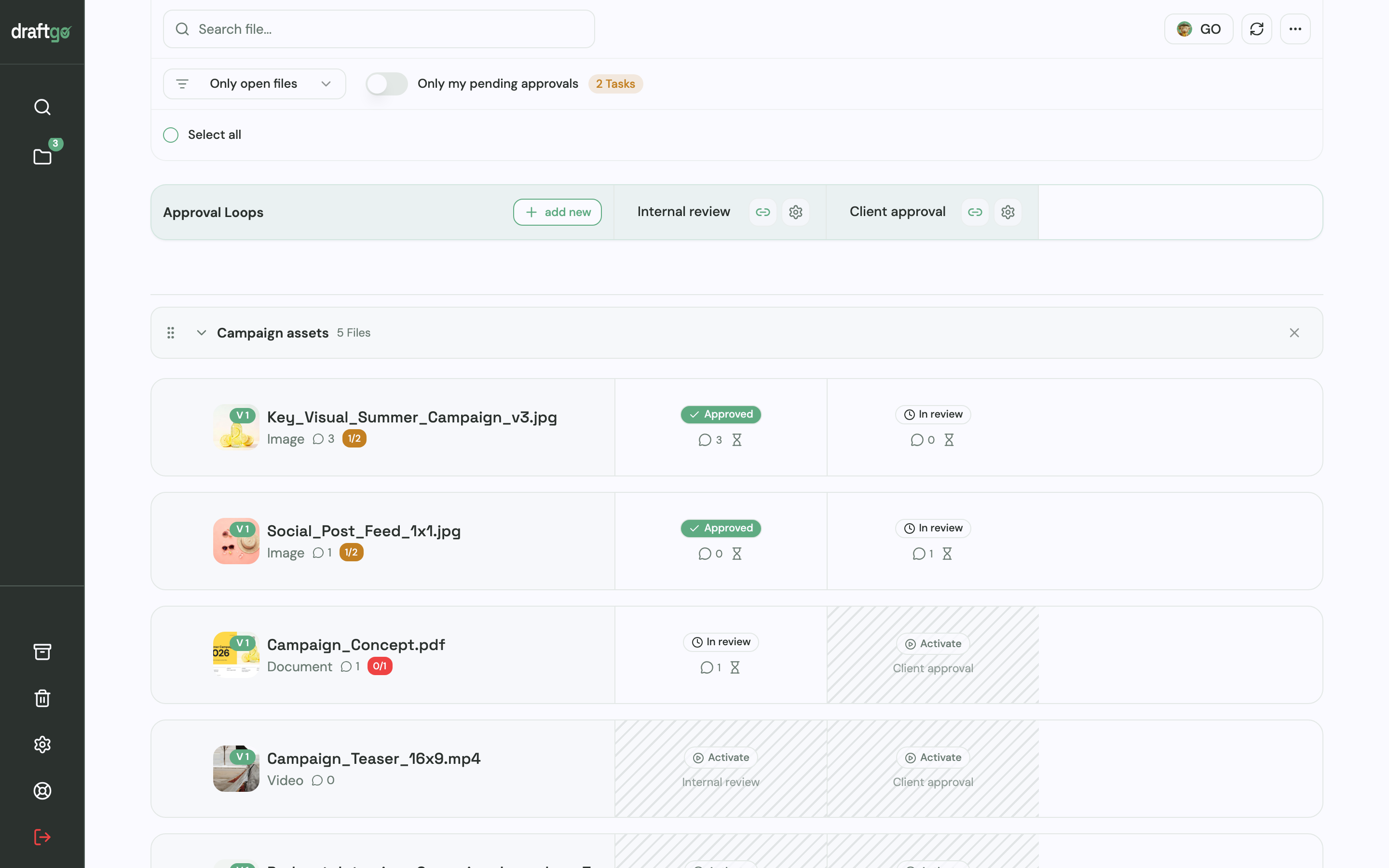
Clients comment through a link without an account: the person who decides gets a personal approver link, and everyone else shares a viewer link. Approvals run in loops, for example internal first and client second, and for each loop you decide whether all approvers, a set number or any one of them must approve. A corrected file goes up as a new version and restarts the approvals, and the activity log keeps approvals, comments and versions with the person and the time.
Pricing is per company, not per user. Internal users are capped by plan (Free 1, Freelancer 1, Agency 5, Team 15), and guests are unlimited from the Freelancer plan. Stored data is kept on EU servers in the Frankfurt data centre. How agencies set up website projects is shown on draftgo for web design.
- Pros: website screenshots at three device widths next to videos, PDFs and images, an approval rule for each loop, one price per company
- Cons: clients comment on a screenshot rather than the live site or app, without a widget or technical data, and pages behind a login cannot be captured
- Price: a permanent Free plan and paid plans you can test free for 14 days, all listed on draftgo pricing
Ruttl and draftgo compared
| Criterion | Ruttl, as of 23 Nov 2026 | draftgo |
|---|---|---|
| Websites | comments on the live page, 15 device sizes on Pro (Ruttl) | screenshot of a public page at desktop, tablet or mobile width |
| Web apps and mobile apps | a script for web apps, an NPM package for mobile apps (web apps, mobile apps) | screenshots or screen recordings of the app, uploaded as files |
| Other files | images and PDFs, PDFs up to 50 MB on Pro (pricing) | images, PDFs, videos, audio and social media posts, up to 500 MB per file |
| Approvals and versions | versions with their comments on Pro, and the agency page names a client approval flow (Ruttl for agencies) | loops with set approvers and a rule per loop, a new version restarts the approvals |
| Integrations | Trello, Slack, Asana, Jira, ClickUp and Zapier | no ready-made integrations |
| Pricing model | Pro per user, free Basic plan with 1 project | one price per company, permanent Free plan |
Ruttl is ahead when the work is the live product: comments on the running site, bug reports from inside a mobile app and tickets sent to Jira or Trello. draftgo fits better when the client signs off website pages together with the launch video and the print PDFs, at a price that stays the same up to five team members.
An agency can also run one of each. Our guide to the website feedback tool explains when each kind of review fits, and the comparison overview puts draftgo next to other proofing tools.
Which alternative fits you?
| Your situation | Tool to test first |
|---|---|
| You review live sites, web apps and mobile apps in one tool | stay with Ruttl |
| Clients comment on live sites, PDFs and videos by link | MarkUp.io |
| Clients approve the live site and should get feedback deadlines | Pastel |
| Developers want every client comment as a task with browser data | BugHerd |
| Reports should land in Jira with session replay | Marker.io on Team |
| You collect feedback from the users of a live web or mobile app | Userback |
| Clients sign off website pages, videos and print PDFs in stages at one price per company | draftgo |
What to check before a site goes live is listed in our website launch checklist.
Practical example: a yoga studio group's website, booking app and launch
A four-person agency builds a website and a booking app for a group of three yoga studios. The owner approves everything, the studio managers check their own pages, and the launch comes with a printed timetable and a 20-second reel.
The developer keeps using Ruttl's mobile package in the app's test build. For the sign-off, the agency captures the home page and the three studio pages in draftgo at desktop and mobile width and adds the timetable PDF and the reel to the same project. An internal loop for the creative lead comes first, then a client loop for the owner, who gets a personal approver link, while the studio managers share the viewer link.
One manager notes at 0:12 of the reel that the wrong street name is shown and marks the same line on the timetable. After the fixes, the owner approves the new versions, which the activity log records with her name and the date. How to get comments a designer can act on is covered in our guide to design feedback.
FAQ
How much does Ruttl cost?
As of 23 November 2026, Ruttl's pricing page lists a free Basic plan with one project, Pro at $18 per user a month with up to 50 users, and a Business plan priced on request (Ruttl pricing). Its plan card and comparison table give different user and guest limits for Basic, so check both.
Which Ruttl alternative works for mobile apps?
In this comparison, Userback lists a mobile SDK for feedback from mobile apps on its Business Plus plan (Userback pricing). The other tools here describe websites, web apps and files, so a team that tests app builds often may keep Ruttl for that part.
Is there a free Ruttl alternative?
Yes, with limits. As of 23 November 2026, Pastel's Free plan holds 1 canvas, and Userback's Free Forever plan covers 2 sites and 2 seats with feedback kept for 7 days (Pastel, Userback). draftgo has a permanent Free plan with one user, one loop per project and 5 guest accesses.
Conclusion
If your days are spent on live sites, web apps and mobile app builds, stay with Ruttl or compare it with Userback and BugHerd. If clients should comment on the live site by link, test MarkUp.io or Pastel. If the client signs off website pages together with videos and print PDFs, run your next launch through draftgo.
Try it free – draftgo is free for 14 days, no credit card needed.
Written by
Emilia
Content Producer
Ready to streamline your approval processes?
Get started with draftgo today and see how easy professional collaboration can be.