
Your client sends an urgent email: their new online shop, download brochures and brand campaign videos must comply with European accessibility requirements before going live. For many design, digital and marketing agencies, the deadline has turned accessibility from a vague recommendation into a mandatory project requirement.
Directive (EU) 2019/882, known as the European Accessibility Act, was adopted to establish common accessibility rules across the European Union. While the directive was required to be transposed into national laws by June 2022, newly marketed products and services within its scope must comply from 28 June 2025. If your agency designs, builds or produces digital assets for businesses selling in the EU, you need to understand which criteria apply and how to check them throughout your production workflow.
This article is general information, not legal advice.
Who the European Accessibility Act covers and who it does not
The European Accessibility Act applies to key digital products and services sold to consumers in the EU. In the digital sector, this includes:
- E-commerce websites and online shops (B2C sales of goods and services)
- Consumer hardware such as computers and smartphones
- Banking and financial services websites and customer portals
- Passenger transport ticketing, travel booking and status services across air, bus, rail and waterborne transport
- E-books and dedicated software
- Audiovisual media services, including video-on-demand platforms
The statutory obligation rests with the economic operator providing the product or service – in most agency projects, that is your client. However, clients increasingly expect agencies to deliver compliant work or require written confirmation that digital deliverables meet the legal standard. Enforcing authorities, individual member state penalties and transitional periods for existing contracts are set in each member state’s national law.
There is one key exemption: microenterprises that provide services are exempt from the requirements. According to guidance from the European Commission, service-providing microenterprises are not legally bound by the directive’s service rules, though larger business clients and e-commerce merchants selling physical goods cannot rely on this exception.
What Austria and Switzerland apply
Because the directive operates at EU level, its application differs between member states and non-EU neighbours:
- Austria: As an EU member state, Austria transposed the European Accessibility Act into national law through the Barrierefreiheitsgesetz (BaKGG). Austrian businesses selling products and services within the scope must comply with the requirements from the 28 June 2025 deadline, with monitoring handled by domestic authorities.
- Switzerland: Switzerland is not an EU member state, so the European Accessibility Act does not apply to purely domestic Swiss commerce. However, Swiss companies, agencies and online merchants that offer goods or services to consumers located within the EU must comply with the directive for those cross-border offerings.
What accessible means for websites, PDFs and video
The technical benchmark for the directive is established through harmonised standard EN 301 549, which incorporates the Web Content Accessibility Guidelines (WCAG 2.1) Level AA directly into EU requirements, as detailed by the W3C. Meeting accessibility means checking every digital medium against these technical criteria.
1. Websites and online shops
Websites must satisfy four core principles: content must be perceivable, operable, understandable and robust. Essential criteria include:
- Colour contrast (Criterion 1.4.3, Level AA): Body text must have a contrast ratio of at least 4.5:1 against its background. Large text (at least 18 pt, or 14 pt bold) requires a ratio of at least 3:1.
- Text alternatives (Criterion 1.1.1, Level A): All non-text content, such as informational graphics and product imagery, must have meaningful alternative text. Purely decorative elements must be hidden from assistive technologies.
- Keyboard accessibility (Criterion 2.1.1, Level A): Every interactive component (such as forms, checkout buttons, navigation menus and image carousels) must be fully operable using a keyboard alone, with a visible focus indicator.
- Meaningful structure (Criterion 1.3.2, Level A): The visual reading order must match the programmatic DOM order so screen readers read content in logical sequence.
2. PDFs and digital documents
Downloadable brochures, product manuals, price lists and white papers published on websites or online shops must also be accessible. Under WCAG 2.1, PDF files must have a correct tag tree:
- Logical reading order: According to W3C technique PDF3, assistive devices rely on internal tags (
<H1>,<P>,<Table>) to navigate. Without proper tags, a multi-column layout may be read straight across the page horizontally, combining two unrelated columns into an unreadable string. - Document metadata: A PDF requires a descriptive document title set in its properties, along with a specified document language so screen readers select the correct pronunciation engine.
- Tagged tables and graphics: Data tables require defined header cells (
<TH>), and illustrations inside the PDF need embedded alternative descriptions.
3. Video and audiovisual assets
Videos embedded on websites or provided as promotional materials must not exclude users with hearing or visual impairments:
- Captions for prerecorded media (Criterion 1.2.2, Level A): All spoken dialogue, relevant background noises and musical cues must be accurately timed as closed or open captions.
- Audio description (Criterion 1.2.5, Level AA): When a video conveys vital visual information that is not conveyed through the dialogue, such as text overlays, product demonstrations or visual scene changes, an alternative audio description track or an accessible transcript is required.
Try it yourself: In the demo you work in a real draftgo workspace with sample data.
Why accessibility reviews fail: 5 steps to build into your workflow
Most accessibility failures happen because agencies treat accessibility as a technical bug sweep shortly before deployment. When contrast issues, missing captions and untagged PDFs are identified during user acceptance testing, retrofitting layouts and templates requires extensive rework. You can avoid this by embedding accessibility directly into your client sign-off stages.
1. Define accessibility standards in the proposal
Clarify the compliance scope before design work begins. Your project proposal and scope of work should explicitly state that deliverables adhere to EN 301 549 and WCAG 2.1 Level AA. Detail who provides written alt texts, who scripts and records audio descriptions and who validates document tagging. Aligning expectations early prevents scope creep and keeps both parties aligned on legal obligations. You can read more about setting up structured review workflows on our legal compliance solutions page.
2. Verify visual contrast and layout during design sign-off
Check colour palettes and font sizes during the initial layout approval rather than after the site is coded. Designers should test button colours, form field borders and text overlays against the 4.5:1 ratio. In your layout review, verify that the visual hierarchy follows a natural reading path from top left to bottom right. Catching low-contrast brand colours during design allows you to adjust the palette before client stakeholders become attached to non-compliant mockups.
3. Check video captions and audio tracks during post-production
Review audiovisual assets while the project is still in editing. When reviewing marketing cuts, check that captions match dialogue word-for-word, display at a legible font size with sufficient background contrast and remain on screen long enough to read. If you evaluate your edits using a dedicated video feedback tool, team members and clients can pinpoint missing subtitle lines at the exact second without exchanging messy timecode notes.
4. Audit document tags and reading order in PDFs
When typesetting brochures or annual reports in layout software, configure export settings to generate tagged PDF output. Run the document through an accessibility checker to confirm that headings are properly nested and that all figures carry alt text. Check complex pages with callout boxes or sidebars to ensure the screen reader order mirrors the logical flow rather than the stacking order of layers.
5. Test keyboard operation and code semantics in staging
Before final client sign-off, run structured manual tests on your staging server. Navigate through the entire site using only the Tab, Shift+Tab, Enter and arrow keys. Check whether the focus ring remains clearly visible on every interactive element and ensure no modal windows trap the keyboard focus. Combine this manual walk-through with automated code scanning to catch missing ARIA labels and empty link texts.

Roles of agency and client
Unclear division of responsibility is a frequent cause of non-compliance. While developers create the semantic architecture, clients often provide the content. A clear division avoids disputes over who was responsible for a missing caption or empty alt tag.
| Project Component | Agency Responsibility | Client Responsibility |
|---|---|---|
| Web Design & UI | Delivering colour palettes with ≥ 4.5:1 contrast, visible focus states and accessible typography | Approving brand colour adjustments required to meet legal contrast ratios |
| Development | Clean semantic HTML, keyboard operability, ARIA attributes and DOM reading order | Testing on staging and formally accepting the technical implementation |
| Website Content | Providing templates, input fields and guidance for image descriptions | Writing alternative text for uploaded product imagery and editorial articles |
| Video Production | Transcribing dialogue, synchronising subtitle files and checking caption legibility | Reviewing subtitle accuracy and approving any necessary audio description scripts |
| PDF Documents | Structuring heading tags, reading order and PDF/UA compatibility during export | Providing verified source copy, data tables and image descriptions |
| Legal Compliance | Designing and testing to technical standards (EN 301 549 / WCAG 2.1 AA) | Determining corporate applicability under the directive and final legal sign-off |
If your agency also reviews advertising claims or marketing assets, establishing clear sign-off stages protects both sides; our guide to marketing compliance details how structured approval loops reduce legal exposure.
Common mistakes and better practice
| Typical Mistake | Why It Causes Problems | Better Practice |
|---|---|---|
| Checking accessibility only after launch | Fixing code structure and layouts on a live shop is expensive and risks broken functionality. | Include accessibility checkpoints in your design, development and staging review stages. |
| Subtitling social clips but ignoring web video | The European Accessibility Act covers video-on-demand and web shop media, making partial captioning non-compliant. | Ensure all prerecorded web videos feature full captions and evaluate the need for audio description. |
| Exporting untagged print PDFs directly to the web | Untagged PDFs confuse screen readers, reading across columns and skipping images without warning. | Set up layout styles with proper heading tags and export PDF/UA-compliant documents. |
| Relying solely on automated accessibility scanners | Automated tools catch only a fraction of WCAG issues; they cannot evaluate reading sense or visual context. | Combine automated scanners with manual keyboard checks, screen reader tests and layout reviews. |
| Leaving alt text responsibility unassigned | Developers leave fields blank, while clients assume the agency handled descriptive text. | Define in the project proposal whether the copywriter, client or editor writes image alt descriptions. |
Practical scenario: launching an accessible e-commerce campaign
A digital agency prepares a new online shop and launch campaign for a consumer lifestyle brand selling across Germany, France and the Netherlands. The deliverables include the e-commerce storefront, product introduction videos and a downloadable catalogue PDF.
During the design phase, the art director selects a soft grey font colour on a white background for product specifications. The front-end lead checks the contrast value: at 2.8:1, it fails WCAG Criterion 1.4.3. The team adjusts the colour to a darker slate shade, achieving a 4.9:1 ratio, and secures client sign-off on the adjusted palette before styling begins.
In post-production, the agency’s video editor produces three promotional clips showing how the product works. Because the voice-over describes only the lifestyle benefits while the hands-on operation is purely visual, the team writes an accompanying transcript and adds an audio description track alongside standard closed captions.
For the downloadable product catalogue, the designer exports the InDesign document with semantic paragraph styles mapped to standard PDF tags. They inspect the exported file using W3C technique PDF3, confirming that two-column specification tables are tagged with distinct row headers and do not bleed into adjacent text.
When the client reviews the staging environment, the project manager runs a structured keyboard test across the checkout funnel. By addressing contrast, video tracks, document tags and keyboard operation step by step, the agency delivers a shop that satisfies both the client’s commercial launch goals and the legal requirements of the European Accessibility Act.
How it works in draftgo
draftgo provides a structured review workspace where agencies and clients collaborate on creative files, design layouts and marketing assets before they go live. You can organise reviews into sequential approval loops – such as an internal team check followed by client sign-off.
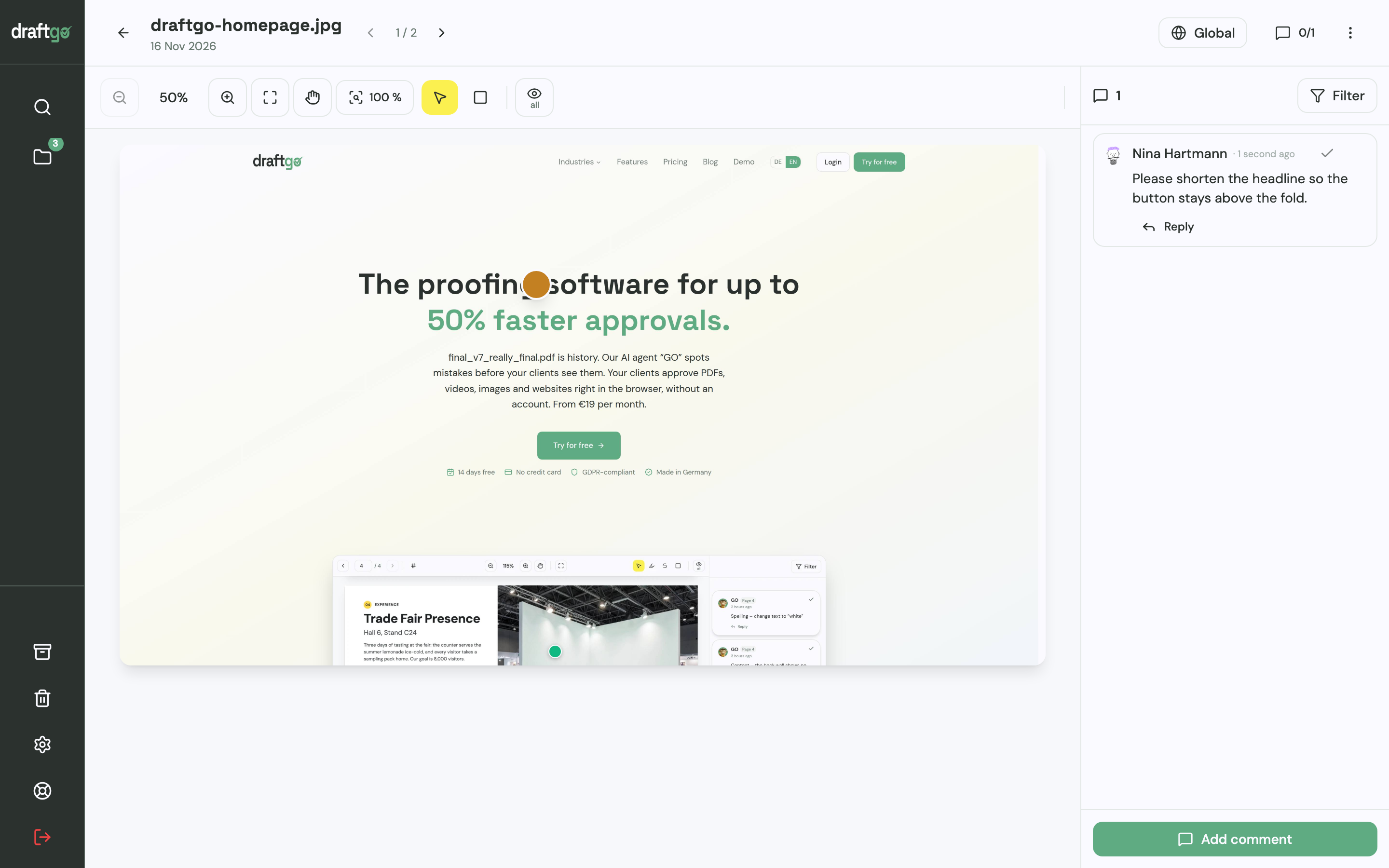
When preparing assets for accessibility review:
- Captured website layouts: You can capture a publicly reachable staging page as a full-page desktop, tablet or mobile screenshot. Designers and copywriters can place pins or draw rectangles directly over buttons, form fields or text blocks to highlight contrast issues and discuss layout hierarchy. If you want to compare snapshot tools with live DOM checkers, see our guide to website feedback tools.
- PDF proofing: Upload your exported PDF brochures to check layout and visual structure. Reviewers can highlight text, strike through obsolete passages or stamp individual pages with “Check page” or “Page approved” to sign off visual adjustments.
- Video feedback: Upload promotional videos to verify captions and on-screen text. Comments sit at an exact point in time accurate to the second, so editors and clients can point out untranscribed speech or overlapping subtitle lines precisely where they appear.
- Automated AI checks: For PDFs and images, our AI agent “GO” reviews files for potential issues such as tiny text, cut-off content and layout errors, placing comments directly on the asset to speed up pre-client checks.
draftgo reviews the visual appearance, media timing and content of your files. Because draftgo captures website screenshots as static images, interactive code features like live keyboard tabbing, ARIA semantics and internal PDF screen reader tags are tested in your browser and dedicated code accessibility tools. Stored data is kept on EU servers in the Frankfurt data centre.
FAQ
Does the European Accessibility Act apply to B2B websites?
The European Accessibility Act primarily targets consumer-facing products and services (B2C), such as e-commerce shops, banking portals and transport services. Pure business-to-business websites that do not offer consumer products or services generally fall outside its direct scope, although public procurement contracts and corporate clients frequently demand accessibility compliance independently.
Are existing websites grandfathered in under the law?
The directive applies to products and services placed on the market after 28 June 2025. While member state laws provide specific transitional periods for existing service contracts, major website redesigns, newly published web shops and fresh digital content released after the deadline must comply.
Can an automated overlay plugin make a website compliant?
No. Automated accessibility widgets or overlay toolbars cannot fix fundamental code issues such as faulty keyboard focus order, unscripted video audio descriptions or improper PDF tag trees. Achieving compliance requires semantic HTML, proper design contrast ratios and genuine document structure.
Who is liable if a client site violates accessibility rules?
Under the law, the economic operator offering the service, namely your client, is liable to national market surveillance authorities. However, if your contract specifies the delivery of a legally compliant website, your client may hold the agency liable for breach of contract or the cost of remediation if deliverables fail to meet agreed standards.
Conclusion
The European Accessibility Act establishes clear, mandatory accessibility criteria for consumer-facing digital projects across the EU from 28 June 2025. Instead of treating accessibility as an afterthought, define responsibilities in your proposals, test contrast and layout during design sign-off, and review video captions and PDF tags alongside your client. Structuring accessibility checks into your everyday review workflow ensures clean, compliant launches without last-minute rework.
Try it free – draftgo is free for 14 days, no credit card needed.
Written by
Emilia
Content Producer
Ready to streamline your approval processes?
Get started with draftgo today and see how easy professional collaboration can be.