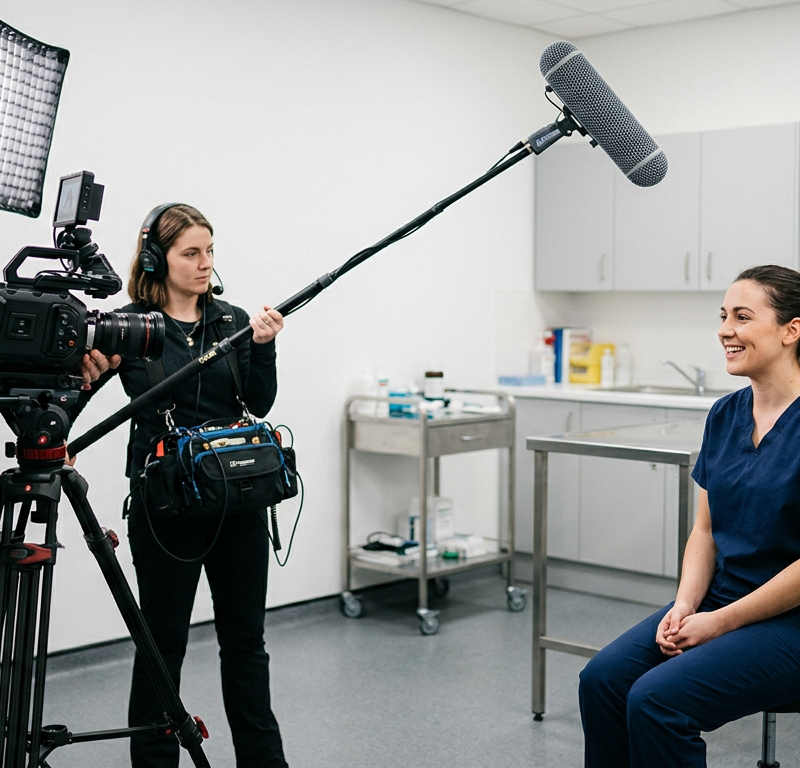
The careers film is in its third cut when a lab technician who speaks in the opening scene asks HR whether the video will also run on Instagram. Her consent form only mentions the careers page. Marketing has already cut two vertical clips from her interview, and the head of HR wants a different closing line.
An employer branding video has reviewers on two sides: the people who commission it and the people who appear in it. If neither their feedback nor their consent is planned, the film can stall at the last step.
What is an employer branding video?
An employer branding video shows a company as an employer: the people, the daily work and the reasons to apply, told by employees rather than by an advertising voice. It runs on the careers page, in job ads and on social channels such as LinkedIn, as a two-minute film or as a series of short vertical clips. Unlike a product ad, it makes a promise to future colleagues about their working day, so a believable picture of the job counts for more than polish.
Who approves an employer branding video?
Plan for four groups of reviewers: HR, marketing, leadership and the employees on camera. Each of them looks at something different and approves a different part of the film.
| Who | Looks at | Approves |
|---|---|---|
| HR or the people team | an honest picture of the job, correct job titles, signed consent forms | statements, choice of people, tone |
| Marketing | brand design, picture and sound quality, call to action | visuals, music, lower thirds, end card |
| Leadership | key message, budget, fit with the hiring plan | the final version |
| Employees on camera | how they come across | their own scenes and quotes |
Without set roles, feedback can contradict itself: HR may ask for a longer interview while marketing wants a shorter film. Name one person who settles such conflicts before the shoot. Our guide to stakeholder communication in creative reviews shows how to plan who gives feedback, who decides and who is only kept informed.
Consent from employees on camera
Anyone recognisable in the film should agree in writing, before the shoot, to how the footage will be used. The rules differ between the EU, the UK and the US, and in an employment relationship a free yes is harder to give than it looks.
European Union
The European Data Protection Board says that employees can only give free consent in exceptional circumstances, when saying yes or no has no adverse consequences at all (EDPB Guidelines 05/2020 on consent, 2020). Its own example is a film crew in an office: staff who do not want to appear in the background are not penalised and get an equivalent desk elsewhere during the filming. For a recruiting film, plan the scenes so that anyone can step out of shot without a disadvantage.
United Kingdom
Where processing is based on consent, Article 7 of the UK GDPR requires the employer as controller to be able to show that the person consented (UK GDPR, Article 7). The same article lets that person withdraw consent at any time, and withdrawing has to be as easy as giving consent.
United States
In the US, the right of publicity, which protects a person’s name and likeness from unauthorised commercial use, is largely a matter of state law (Cornell Law School, Legal Information Institute). New York’s Civil Rights Law § 50, for example, makes it a misdemeanour to use a living person’s name, portrait, picture, likeness or voice for advertising or trade without first obtaining their written consent.
What the consent form should cover
Whatever the market, put the consent in writing and spell out:
- Channels: every place the film or a clip may run, from the careers page to Instagram
- Period: how long the footage will be used
- Footage: video, stills, voice and quotes, including clips cut from the interview
- Withdrawal: how to withdraw and whom to contact
- No disadvantage: saying no changes nothing about the job
Keep the signed forms with HR, not in the video project. An approval in a review tool records who signed off which version of the film; it does not replace the consent of the people in it.
This article is general information, not legal advice.
Try it yourself: In the demo you work in a real draftgo workspace with sample data.
Employer branding video approval in 4 stages
Split the approval into four stages instead of sending a finished film to everyone at once. Each stage has its own reviewers and its own question.
1. Concept, script and storyboard
HR, marketing and the decision-maker approve the concept, the script and the storyboard before anyone films. This is where the big choices are made: the message, the people on screen, the locations and the channels, which have to match the consent forms. A change now means editing a document; after the shoot it can mean a second shoot day. Our creative brief template helps you put goal, audience and approver in writing first.
2. Rough cut
The rough cut is about content: whether the statements hold and whether the story is clear. Each employee sees their own scenes and quotes here, while a change still means re-cutting rather than reshooting. The guide to choosing a video feedback tool explains how comments at the timecode and versions work.
3. Fine cut, graphics and sound
Colour grade, music, lower thirds, subtitles and the end card come in now, and the feedback stays with these details. Check the job titles and the background of every shot, where a whiteboard or a screen can show names or data that do not belong in a public film.
4. Final approval and cut-downs
The decision-maker approves the final version, and the vertical clips and other cut-downs go through the same approval before they are published. Compare each channel with the consent forms before anything goes live, and record who approved which version and when. Our guide to an audit trail for approvals shows what that record should contain.
Mistakes to avoid and better practice
Each of these mistakes can delay the release or force a late change. The right-hand column shows what to do instead.
| Mistake | Better practice |
|---|---|
| The consent form names the careers page, but the clips also go to Instagram | List every channel and the period of use on the form before the shoot |
| Employees see their scenes only in the final cut | Show each person their own scenes in the rough cut |
| Nobody has planned for someone who changes their mind | Film enough footage that a scene or a clip can be dropped |
| Sign-off is a “fine by me” in the corridor | The decision-maker approves one specific version, and the approval is recorded |
Practical example: a careers film for a group of veterinary practices
Take a two-person video studio that films an employer branding video for a group of eight veterinary practices that is hiring vet nurses. The order is a two-minute careers film and three 30-second vertical clips, each built around one employee: a vet nurse, a receptionist and a newly qualified vet.
Before the shoot, the group’s people manager collects consent forms that name the careers page, LinkedIn and Instagram and a period of two years. The clinical director approves the concept and the storyboard and is named as the person who settles conflicts between HR and marketing.
In the rough cut, the three employees comment on their own scenes, and the receptionist decides she would rather appear only in the careers film. The people manager confirms that nothing changes for her at work, and the marketing coordinator plans two clips instead of three.
In the fine cut, the receptionist notices a client’s address on a monitor behind her. The studio’s editor blurs it and uploads the corrected cut as a new version of the same file. The clinical director approves the final film and then each clip as a file of its own before the practices post anything.
How it works in draftgo
draftgo brings the feedback of HR, marketing, leadership and the people on screen together on the video and records who approved which version.
- Upload the storyboard and the cuts: The storyboard goes into the project as a PDF, each cut as a video of up to 500 MB; the browser compresses larger videos of up to 800 MB before the upload.
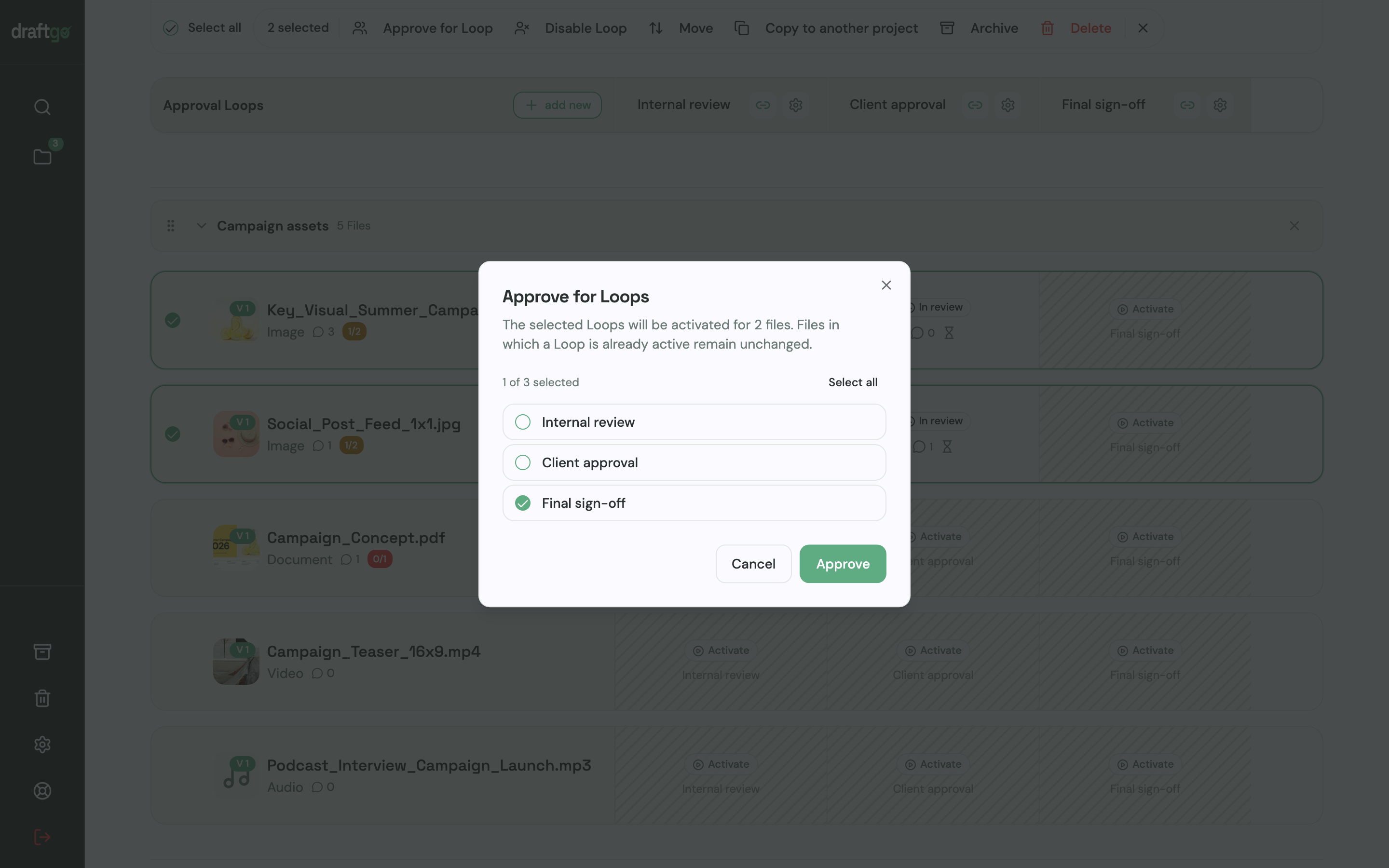
- Set up two loops: Create one loop called “Content review” for the rough and fine cut and one called “Final sign-off” for the decision-maker. For each loop you decide whether all approvers, a set number or any one of them must approve, separately for your team and for guests. A project holds 1 loop on Free, 3 on Freelancer and as many as you need on Agency and Team.
- Invite by role: The person who decides in each loop, such as the head of HR in the first and the managing director in the second, gets a personal approver link and may approve. Everyone else, from marketing to the employees on camera, comments through the shared viewer link of the loop or of a single file, which cannot approve. Nobody needs an account.
- Comment at the timecode: Reviewers pause the video and comment at that moment or on the file as a whole, reply in the thread and bring others in with an @mention. A finished comment is marked as resolved, and per loop you can let guests mark their feedback as complete.
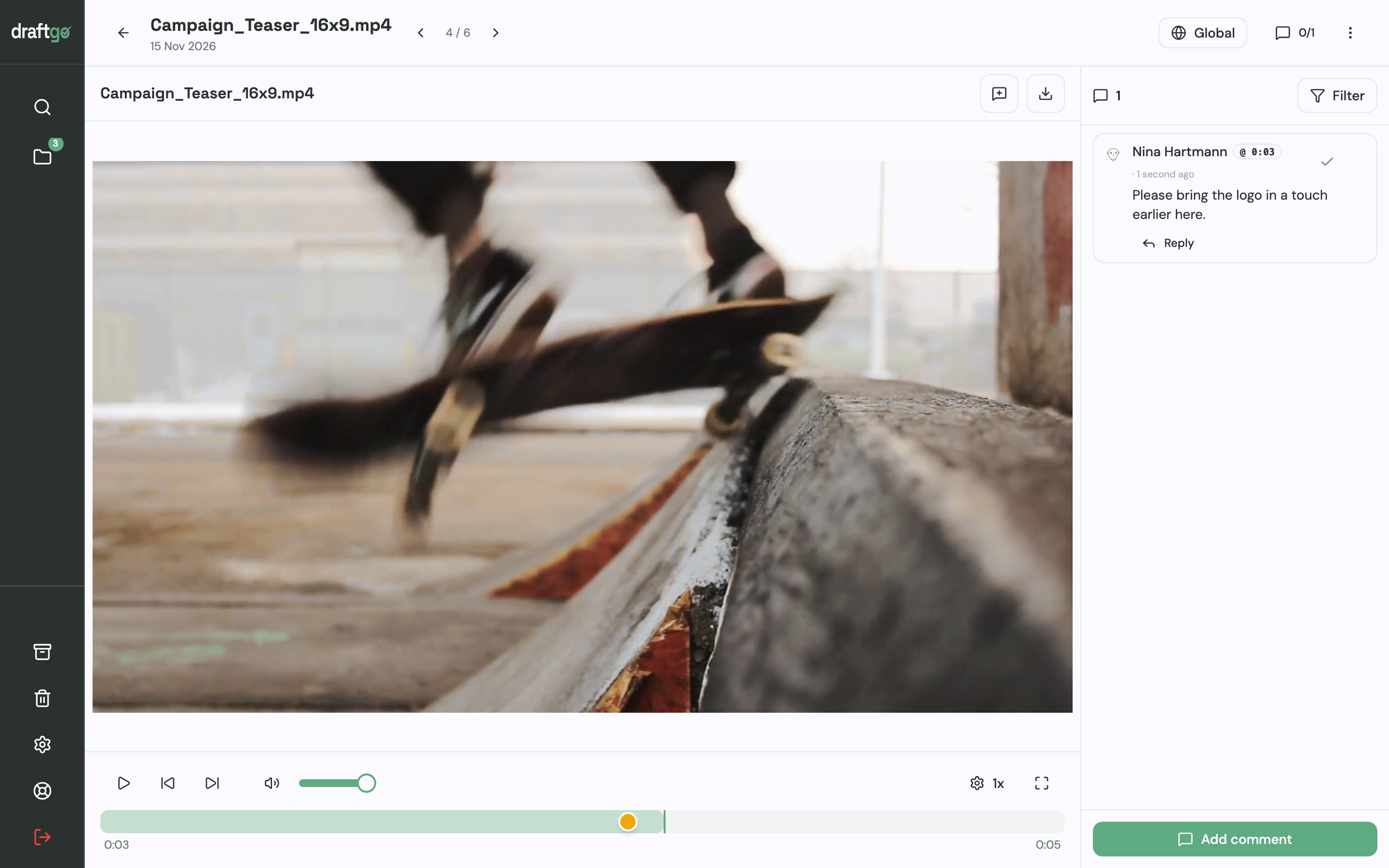
- Upload the next cut as a version: The new cut goes onto the same file, earlier versions stay available, comments stay with their version and the approvals start again. Once the content review is approved, you activate the file in the sign-off loop.
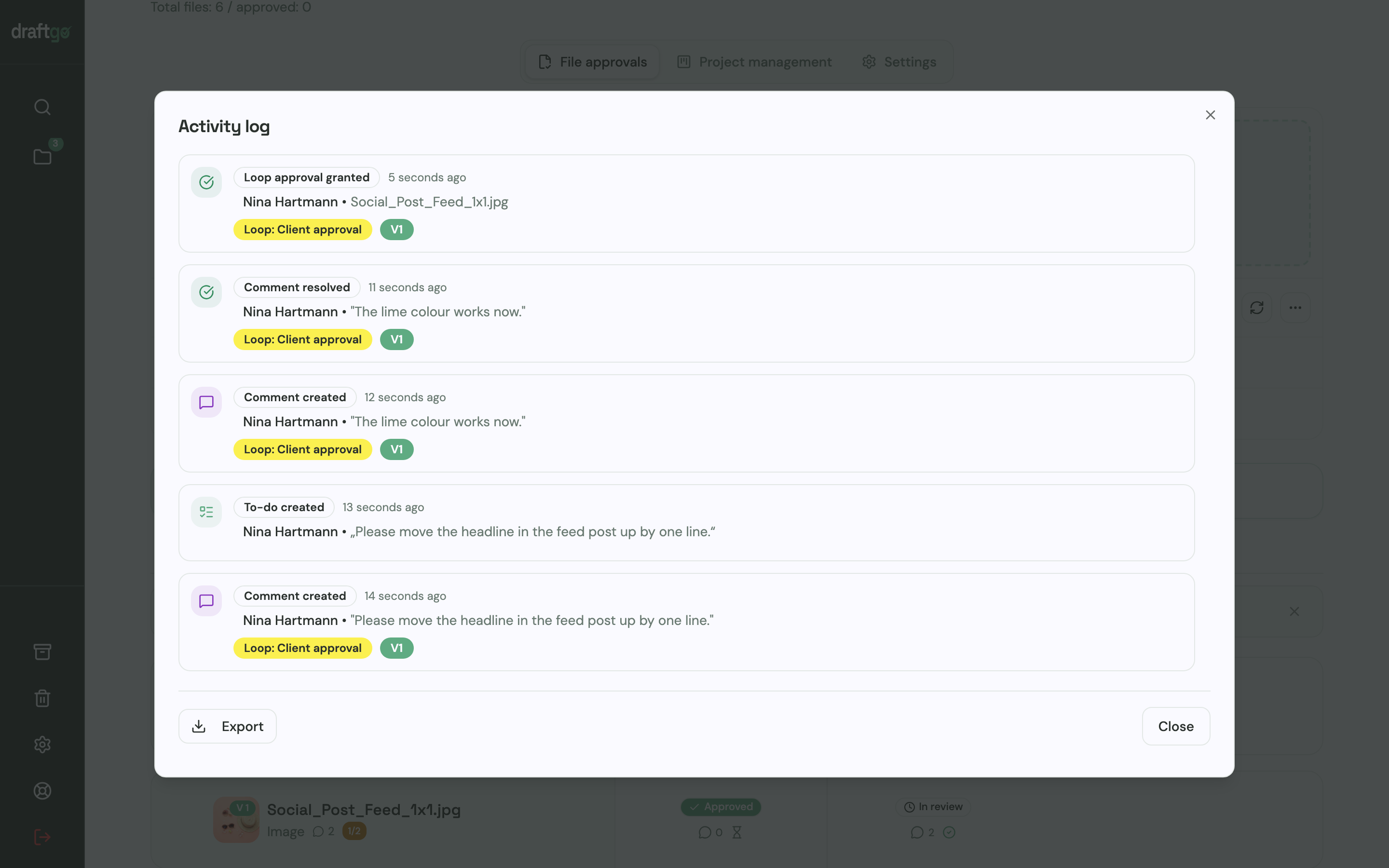
- Keep the record: The activity log records approvals, comments, versions and downloads with person and time, and you can export it as CSV, JSON or PDF.
Before the final sign-off, ask our AI agent “GO” what is still open on the file or the loop.
All cuts, comments and approvals stay in one project. Stored data is kept on EU servers in the Frankfurt data centre. The page draftgo for video production shows how teams review films with clients and colleagues.
FAQ
What happens if an employee withdraws consent after the video is published?
According to the European Data Protection Board, use that complied with the GDPR before the withdrawal stays lawful, but the processing based on that consent has to stop (EDPB Guidelines 05/2020 on consent, 2020). For a film that is already online, that can mean taking it down or publishing a version without that person. Get legal advice, and keep enough footage to cut such a version.
Can you keep using the video after an employee leaves?
That depends on what the consent form says about the period of use and on the law of your market. Settle it before the shoot, for example by stating in the form whether the film stays online after someone leaves the company. Where the form says nothing, get legal advice before you take the film down or keep it.
Should the employees on camera approve the video?
Show the employees on camera their own scenes and quotes in the rough cut, while a change still means re-cutting rather than reshooting. The approval of the whole film stays with the person named as decision-maker.
Conclusion
Write the channels and the period of use into every consent form, show each employee their own scenes in the rough cut and let one named person approve the final version. For your next film, put the four stages and that person’s name into the brief before the shoot day.
Try it free – draftgo is free for 14 days, no credit card needed.
Written by
Emilia
Content Producer
Ready to streamline your approval processes?
Get started with draftgo today and see how easy professional collaboration can be.