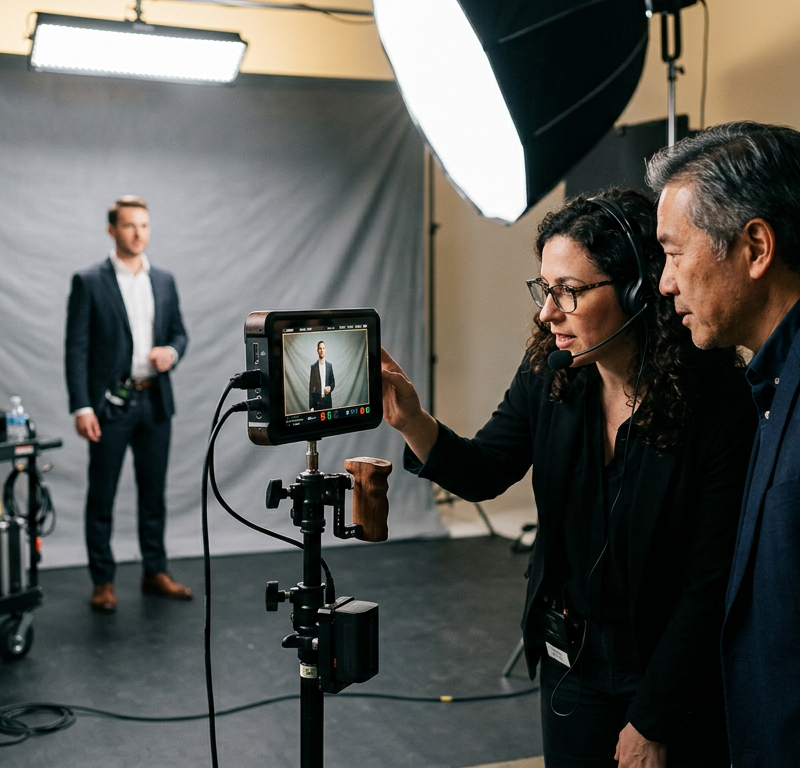
The colour grade is finished and the mix is done when the client’s product manager notices that the opening scene shows last year’s model of the coffee machine the film is meant to sell. Fixing it means filming the scene again and a second pass through edit and grade, for a decision that belonged in pre-production.
A video production workflow keeps decisions like this one in the phase where they are still cheap, with an approval at the end of each of its nine phases and extra review steps for animated videos.
What is a video production workflow?
A video production workflow is the fixed, repeatable order of phases a video goes through, from the first idea to the delivered files. It sets who delivers and who approves in each phase, and when the next one may start. These approval points are also called gates: the shoot starts once the shoot plan is signed off, and the grade starts once the edit is locked.
Why a late change costs more than an early one
A late change can cost more than an early one, because each phase builds on the one before. In the script, moving a scene is a matter of cut and paste. The same move at a later point looks like this:
- In the storyboard: you redraw a few frames.
- After the shoot: you film the scene again or make do with the footage you have.
- After picture lock: the edit changes, and the grade and mix of those scenes are redone.
- After the final render of an animation: each affected shot is rendered again.
Gates keep the big decisions early, and feedback in each phase stays with that phase’s work.
The 9 phases of a video production workflow
The nine phases run from the brief to the archive. Close each one with an approval by a person you name in advance; the last column suggests who.
| Phase | What it produces | What gets approved | Suggested approver |
|---|---|---|---|
| 1. Idea and brief | Goal, audience, message, channels, budget, deadline | The brief | Client decision-maker |
| 2. Script and treatment | Script, treatment, moodboard | Script and visual direction | Client decision-maker |
| 3. Storyboard or animatic | Shots as frames, first timing | Storyboard or animatic | Client and director |
| 4. Casting, locations and schedule | Cast, locations, crew, call sheets | The shoot plan | Producer, client for cast and locations |
| 5. Shoot | Footage, sound, stills | The takes of each set-up | Director on set |
| 6. Rough cut | First edit | Story, order and length | Client |
| 7. Fine cut and graphics | Final edit, titles, lower thirds | Picture lock | Client |
| 8. Grade, mix and final approval | Look, sound mix, master | The master | Client decision-maker |
| 9. Delivery and archive | Exports per channel, archive | Each export against its spec | Producer |
1. Idea and brief
The brief puts goal, audience, message, channels, deadline and budget in writing, and the client’s decision-maker approves it. Later feedback can then be checked against it. Our creative brief template gives you the sections.
2. Script and treatment
The script fixes what is said and shown, and the treatment describes look and tone with reference images. Read the script aloud with a stopwatch before you send it, since a script that runs long now means cut scenes later.
3. Storyboard or animatic
The storyboard turns the script into one frame per shot, and an animatic sets those frames to a scratch voice-over and music to test the timing. On a simple live-action job, a shot list with reference images can do the same work.
4. Casting, locations and schedule
The last step of pre-production plans the shoot: cast, locations, crew, equipment and a call sheet for each shoot day. The client approves the people on camera and the locations, and the producer signs off the plan.
5. Shoot
On set, the crew records picture, sound and stills. The gate is the director’s check of each set-up before the crew moves on, with the usable takes marked in the script notes for the editor.
6. Rough cut
The editor assembles the marked takes into a first version that shows story, order and length, and the client approves that structure. How to run this round and the later ones at the timecode is covered in our guide to choosing a video feedback tool.
Try it yourself: In the demo you work in a real draftgo workspace with sample data.
7. Fine cut and graphics
The fine cut refines transitions and timing and adds titles, lower thirds and on-screen text. It ends with picture lock: from this point, no shot changes its place or length.
8. Grade, mix and final approval
The colourist sets the look, and the mix brings dialogue, voice-over, music and effects together. Picture and sound go to the client together, and the phase ends when the named approver signs off the master. After that, only errors get fixed.
9. Delivery and archive
The master becomes the files each channel needs, from the website version to the file a broadcaster asks for, each to its delivery spec. For loudness, EBU R 128 (2023) recommends an average programme loudness of -23 LUFS, and the ATSC A/85 (2026) Recommended Practice gives guidance on loudness for digital television.
Project files, master and the record of who approved which version then go into the archive, and our guide to an audit trail for approvals shows what that record contains.
Animation: three extra review steps
An animated video has review steps that a live-action shoot does not: styleframes, the animatic and the render stages. Each asks a narrower question than the one before, so style is settled on stills and story on the animatic before the animation starts.
| Review step | Where it sits | What is reviewed | Not up for discussion yet |
|---|---|---|---|
| Styleframes | After the script | Style, colours, characters, typography as stills | Movement and timing |
| Animatic | Phase 3 | Pace, order of scenes, fit with voice-over and music | Details of the movement |
| Render stages | In place of shoot, rough cut and fine cut | Movement, easing, effects, light and shadow | Style and story |
| Final render | Phase 8 | Render errors, text, sound, format | Creative changes |
Send two or three styleframes as options, and have the client approve one in writing. Record the final voice-over once the animatic is approved, so the animation can follow its timing.
Mistakes and better practice
These mistakes push decisions into the wrong phase.
| Mistake | Better practice |
|---|---|
| The storyboard is skipped, and on set it turns out everyone pictured a different film | Get a storyboard or a shot list approved before the shoot |
| The client first sees the cast in the rough cut | Get the people on camera and the locations approved in pre-production |
| A new stakeholder joins at the final approval | List everyone who reviews in the brief and involve them from the script on |
| The schedule has shoot and delivery dates but no review dates | Put every gate with a date and an approver into the schedule |
Settle at the kick-off who decides and who only gives feedback; our guide to stakeholder communication shows how to plan it.
Practical example: an animated explainer for a heat pump installer
Take a ten-person animation studio that makes a 75-second animated explainer for a regional heat pump installer. The installer’s marketing manager approves each phase, and a service engineer checks that the installation is shown correctly.
The brief names the audience, homeowners who want to replace an old gas boiler, and a launch date before the heating season. After the script, the studio sends three styleframes, and the marketing manager picks the second and asks for the company’s green as the accent colour, a quick change on a still image.
In the animatic, the service engineer notices that the outdoor unit appears before the old boiler has been removed, and the two scenes swap places before the studio animates a single shot. The render stages go out as versions of the same file, from movement in flat colours to the final render, and with style and order settled, their comments can stay with timing and easing. The marketing manager approves the master, and the studio exports a 16:9 version, a 9:16 cut-down and a subtitle file.
How it works in draftgo
In draftgo, all phases of a video workflow can run in one project, each with its own approval, and clients take part without an account.
- One project for all phases: Brief and script go in as PDFs, styleframes as images, cuts as videos of up to 500 MB and voice-overs as audio files. Sections such as “Pre-production” and “Edit” keep the list in order.
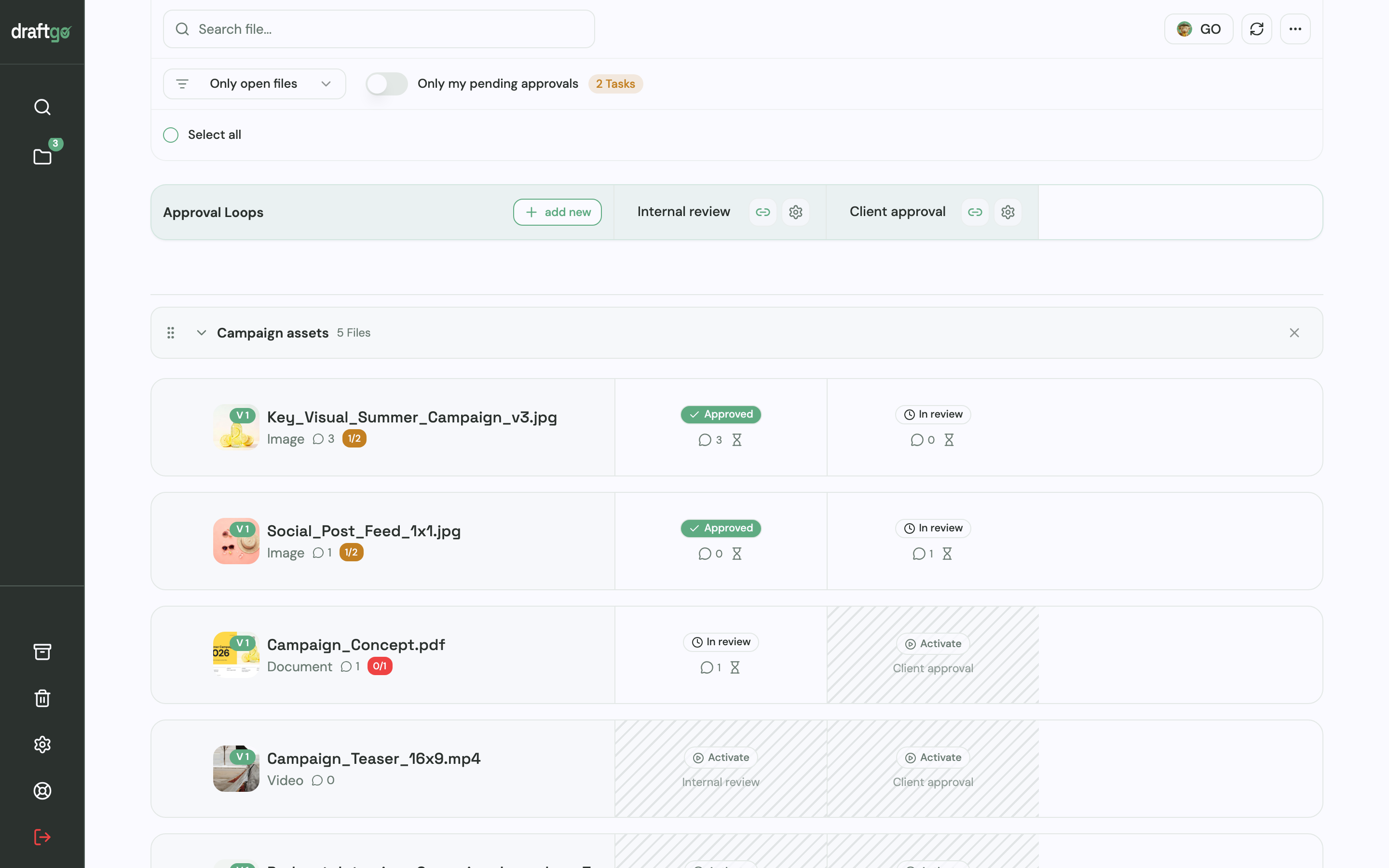
- An internal loop and a client loop: The producer checks a file in an “Internal review” loop, and once it is approved, you activate it in a “Client approval” loop. For each loop you decide whether all approvers, a set number or any one of them must approve, separately for team and guests. A project holds 1 loop on Free, 3 on Freelancer and unlimited loops on Agency and Team, so this setup needs Freelancer or higher; see the pricing page.
- The right link for each person: The person who signs off a phase gets a personal approver link. People who only comment, such as the installer’s service engineer, use the shared viewer link, which cannot approve.
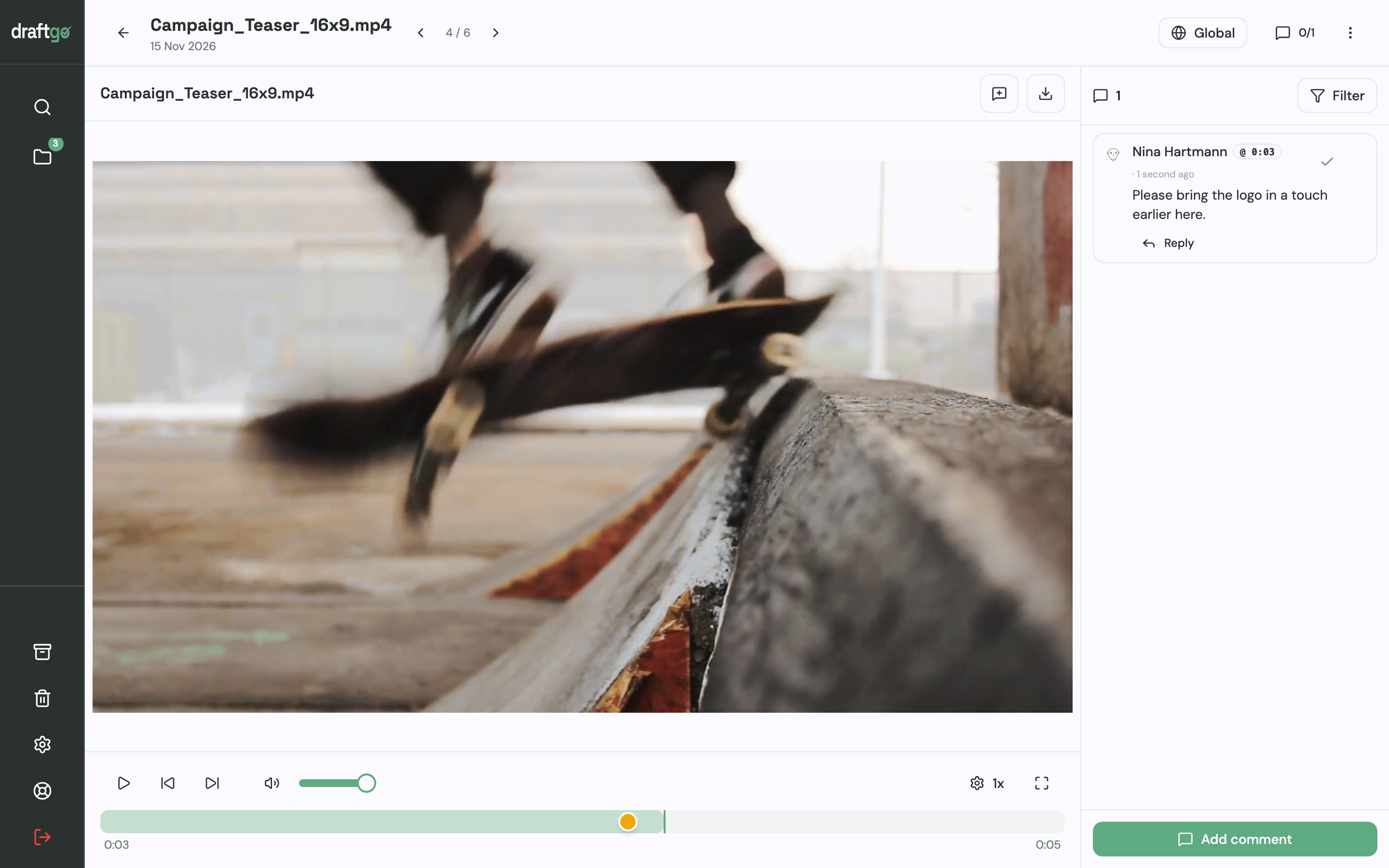
- Feedback at the spot: Comments sit at a timecode in a video or audio file, as a pin on a styleframe, as a highlight in the script PDF or on the whole file.
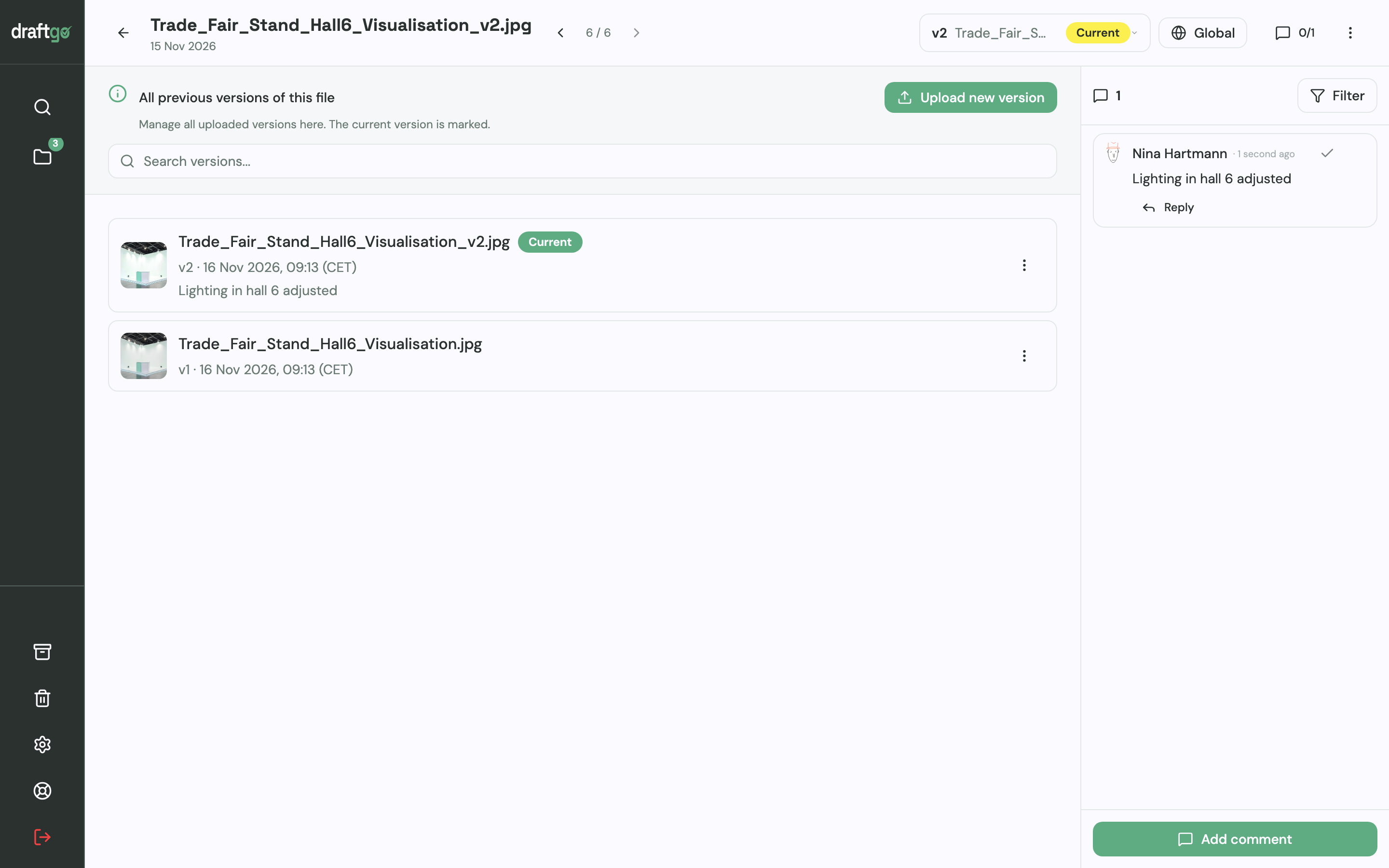
- Every cut and render as a version: A new render goes onto the same file as a new version, with a note on what changed, and starts the approvals again. Comments stay with their version.
- A record of each gate: The activity log keeps approvals, comments, versions and downloads with person and time, and you can export it as CSV, JSON or PDF.
For the script and styleframes with on-screen text, you can start the AI review; its findings, such as spelling mistakes, appear as comments from our AI agent “GO”. AI review pages come with the plans from Freelancer on. Stored data is kept on EU servers in the Frankfurt data centre. More on reviewing films with clients is on draftgo for video production.
FAQ
What is the difference between a video workflow and a video production workflow?
Both terms can describe the phases of a video project from brief to delivery. Video workflow is also used in a narrower, technical sense: how footage moves from the camera card through editing to export.
What is the difference between pre-production and production?
Pre-production is everything planned before the camera rolls, from script and storyboard to cast, locations and the shoot schedule. Production is the shoot itself, or the animation for an animated video, and post-production follows with edit, grade, mix and delivery.
Does every video need all nine phases?
Not as nine separate review rounds. For a short social clip, brief, script and storyboard can be one document the client approves once, and rough and fine cut can be one review. Keep a written approval before the shoot and one before delivery.
Who should approve each phase?
Split it by what each person can judge: the client’s decision-maker approves brief, script, cuts and master, the director checks the takes on set, and your producer signs off the shoot plan and each export. Write those names into the brief before the script is written.
Conclusion
Write the nine phases into your next production schedule, with a date and a named approver for each gate. Get brief, storyboard and cast approved in writing before anyone films, and give animation its own review steps for styleframes, animatic and render stages.
Try it free – draftgo is free for 14 days, no credit card needed.
Written by
Emilia
Content Producer
Ready to streamline your approval processes?
Get started with draftgo today and see how easy professional collaboration can be.