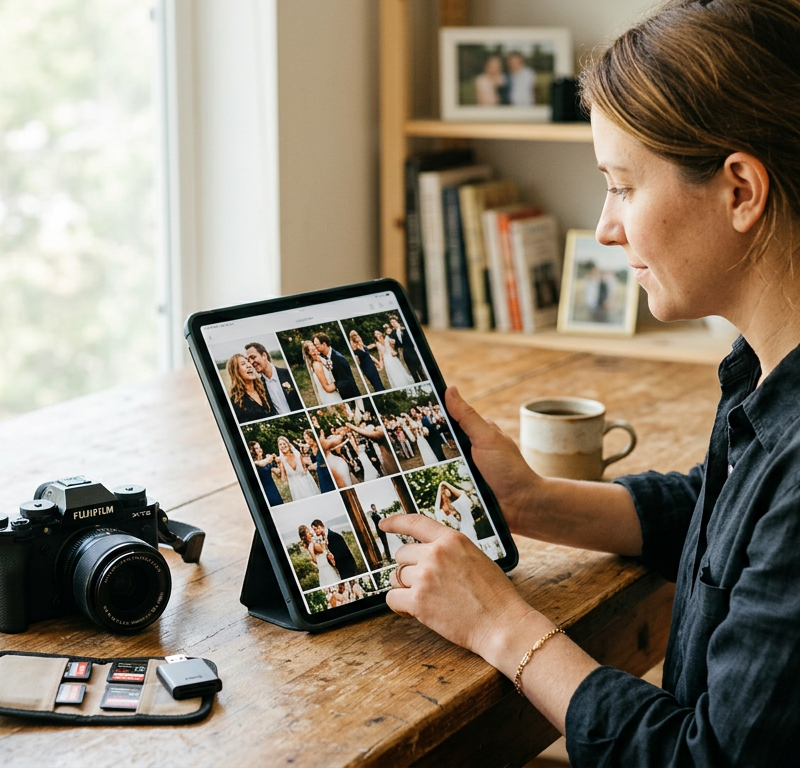
You have delivered your wedding and portrait galleries through Pixieset for years, and couples order their prints straight from the store. Then a brand books a product shoot through its agency, and three people want to choose images, ask for retouches and sign off the finals. Or your storage fills up and the next plan costs more than the gallery earns. That is usually when photographers start comparing Pixieset alternatives.
Pixieset is a capable client gallery, and for many photographers it stays the right one. Below are five alternatives plus draftgo, grouped by what your clients do with the images and checked on 23 November 2026.
Why photographers look for a Pixieset alternative
The Pixieset client gallery delivers, proofs and sells photos in one place. Clients pick favourites, add notes and editing requests to each image and buy prints and downloads through the Pixieset Store, while password protection, download PINs and a watermark guard the images (Pixieset client gallery). The reasons to switch tend to come from the plans and from the kind of clients you work for.
- Storage sets the price. Pixieset's free plan holds 3 GB. Basic has 10 GB for $8 a month on annual billing or $10 monthly, and 100 GB need Plus at $16 a month on annual billing (Pixieset pricing).
- Commission on the Free plan. Store sales on the Free plan carry a 15% commission, and upgraded accounts pay none (Pixieset pricing).
- Business clients approve rather than buy. For brands and agencies, several people choose images, comment on details and sign off retouched finals. The gallery page describes favourites, notes and downloads (Pixieset client gallery), but no approval step for the finals.
- You want other studio tools. Album proofing, labels for structured selections or a website in the same plan are reasons to look at the galleries below.
How we evaluated the alternatives
We used five criteria:
- Focus: selling and delivery, or selection, feedback and approval.
- Free entry: whether a free plan exists and what it holds.
- Entry price: the cheapest paid plan, as the vendor's pricing page states it.
- How clients select: favourites, labels, ratings and comments on the image.
- Selling: a print store, and the commission or fee on sales.
All information comes from the vendors' own pages as of 23 November 2026, in the currency each page showed. Several vendors ran a sale on the day we checked, so we name the regular price and mention the offer. draftgo is our product, and it gets pros and cons like every other tool here. The order is not a ranking: four galleries built for selling come first, then two tools built for selection and feedback.
Pixieset alternatives compared
| Tool | Suited for | Free entry | How clients select | Selling | Entry price, as of 23 Nov 2026 |
|---|---|---|---|---|---|
| Pixieset, for reference | delivery, proofing and print sales | free plan, 3 GB | favourites with notes per image | store, 15% commission on Free | Basic $8 a month, annual billing |
| Pic-Time | weddings and portraits with prints and albums | free plan, 10 GB, 3 GB after three months | favourites, selection workflows from Professional | print store with 30+ labs | Beginner $7 a month, billed yearly |
| ShootProof | studios that want galleries, sales and paperwork together | free plan, 100 photos | favourites and custom labels | commission-free on every plan | see the plans page |
| CloudSpot | a simple gallery with a store | free plan, 5 GB, 3 galleries | favourites | 15% commission on Free and Entry | Entry listed at $7 a month |
| Zenfolio | website, galleries and sales in one plan | free trial, no free plan | favourites and comments | from Professional, 7% fee per order | Basic $7 a month, billed annually |
| Picflow | commercial photographers and creative teams | free plan, 2 GB | favourites, colour labels, comments, approval flags | none named | Plus $12 a month, billed yearly |
| draftgo | selection, feedback and approval with business clients | permanent Free plan | four smileys, one rating per file, comments | none | see the draftgo entry below |
The 6 Pixieset alternatives in detail
Galleries built for selling
1. Pic-Time: suited for wedding and portrait photographers who sell prints and albums
Pic-Time is a gallery and sales platform for photographers and videographers. Its pricing page lists a print store with more than 30 labs and automatic fulfilment on every plan, the Free plan included. Workflows for client selections and album proofing come with Professional and Advanced, and the Lightroom integration syncs client selections and favourites back into Lightroom. Commission applies only to your markup and falls with each plan.
- Pros: print store with lab fulfilment from the Free plan, album proofing, selections synced with Lightroom
- Cons: selection workflows need Professional or higher, and the Free plan's 10 GB shrink to 3 GB after three months
- Price: Beginner $7, Professional $21 and Advanced $42 a month on yearly billing; on the day we checked, an offer took up to 30% off yearly plans (Pic-Time pricing)
2. ShootProof: suited for studios that want galleries, sales and paperwork in one place
ShootProof combines client galleries with print sales through partner labs, contracts, invoices and booking. In its proofing, clients mark photos as favourites or apply labels you set up, for example one for the main album and one for the parents' album, and ShootProof can email you when a client is done. The plans page says ShootProof takes no commission on any plan, and the Free plan holds 100 photos in unlimited client galleries.
- Pros: custom labels for structured selections, commission-free sales on every plan, contracts and invoices built in
- Cons: the Free plan stops at 100 photos, and the proofing page names favourites and labels but no comments on the image
- Price: on the day we checked, a sale took 50% off every plan until 1 December, and the page did not show clearly which price belongs to which billing term, so see the ShootProof plans
Try it yourself: In the demo you work in a real draftgo workspace with sample data.
3. CloudSpot: suited for photographers who want a simple gallery with a store
CloudSpot sells gallery-only plans and a full suite with invoices, contracts and scheduling. In the gallery, clients tag favourites and download the folders or images you allow, and the gallery tracks views, downloads and favourites (CloudSpot client galleries). The Free plan has 5 GB, up to 3 client galleries and downloads up to 2,048 pixels, and store sales carry a 15% commission on Free and Entry and none from Lite (CloudSpot pricing).
- Pros: commission-free sales from Lite, mobile gallery apps, gallery-only plans for photographers who need no studio tools
- Cons: the Free plan holds 3 galleries, and the gallery page names favourites but no comments on the image
- Price: Entry is listed at $7 a month, and on the day we checked an offer ran at $5 a month for the first five months; the page does not state the billing term clearly (CloudSpot pricing)
4. Zenfolio: suited for photographers who want a website, galleries and sales in one plan
Every Zenfolio plan includes a custom website, client galleries and proofing, and the plans page lists favourites and comments so clients can give feedback inside the gallery. Selling prints and digitals with integrated lab fulfilment starts with Professional, and each order carries a 7% commerce fee plus the payment processor's fee.
- Pros: website, galleries and proofing in one plan, favourites and comments for client feedback
- Cons: no free plan, only a free trial, and selling needs Professional or higher
- Price: Basic $7 a month on annual billing or $9 monthly, Professional $11.50 or $23; on the day we checked, a sale took 60% off the first year of an annual Professional or Advanced plan (Zenfolio plans)
Tools built for selection and feedback
5. Picflow: suited for commercial photographers and creative teams
Picflow is an online proofing and asset management platform for photographers and creative teams. Clients open a link without an account and give feedback with favourites, annotations, comments, colour labels and approval statuses (Picflow). Its pricing page lists these review options and password protection for the Plus plan, watermarks from Pro and integrations with Lightroom Classic and Capture One. The Free plan has 2 GB and no time limit.
- Pros: approval statuses and colour labels next to favourites, Lightroom Classic and Capture One, unlimited collaborators on every plan
- Cons: the pricing page names no print store, and the Free plan holds 2 GB
- Price: Plus $12 a month billed yearly or $15 month-to-month, Pro $18 or $24 (Picflow pricing)
6. draftgo: suited for photographers who need selection, feedback and approval with business clients
draftgo is an online proofing platform. Galleries show your images in a tile view, and team and guests rate every file with four smileys and comment on it. Each file has one rating that everyone sees, so you and your client always look at the same selection. Clients open the gallery link without an account.
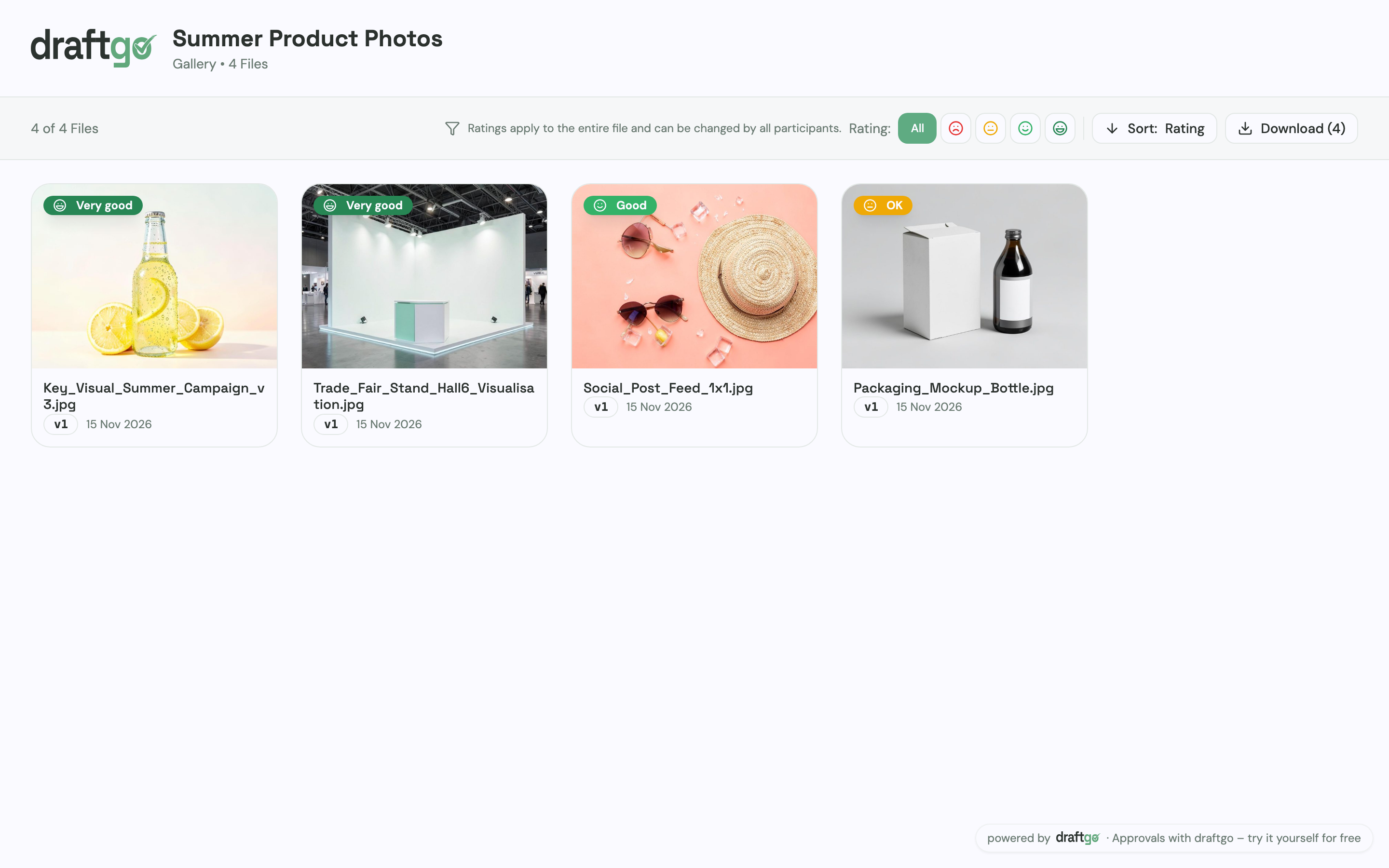
The retouched finals can then go into a project with approval loops, for example the agency's art director first and the brand second, next to the videos and PDFs of the same job. A corrected image becomes a new version of the same file and starts the approvals again, and the activity log records who approved what and when. Pricing is per company, not per user, and guests are unlimited from the Freelancer plan. Stored data is kept on EU servers in the Frankfurt data centre.
- Pros: gallery selection and approval of the finals in one tool, comments on each image, videos and PDFs in the same project, one price per company
- Cons: draftgo is not a selling tool, so there is no print store or watermark, and each file has one shared rating rather than a favourites list per client
- Price: a permanent Free plan with 2 GB and 2 galleries, and paid plans you can test free for 14 days, all on draftgo pricing
Pixieset and draftgo compared
| Criterion | Pixieset, as of 23 Nov 2026 | draftgo |
|---|---|---|
| Focus | delivery, proofing and sales (client gallery) | selection, feedback and approval |
| Free plan | 3 GB, unlimited galleries, 15% store commission (pricing) | permanent Free plan, 2 GB, 2 galleries |
| How clients select | favourites, which you can export and download | four smileys, one shared rating per file |
| Feedback on the image | notes and editing requests per image | comments on each file, with replies and @mentions |
| Approval of the finals | not named on the gallery page | approval loops with a rule per loop, a new version restarts the approvals |
| Protecting images | password, download PIN, watermark | every link can be deactivated |
| Selling | Pixieset Store, commission-free from Basic | none |
| Other files | photos and video | images, PDFs, video, audio, website screenshots, social media posts |
| Plans | priced by storage | one price per company, by plan |
Pixieset is ahead wherever clients buy: the store, downloads in the size they need, password and watermark in one place. draftgo fits better when a brand or agency chooses the images, asks for retouches and signs off the finals, especially when the job also includes video or layouts. Point-by-point comparisons of draftgo with other review tools are on our comparison pages.
Which alternative fits you?
| Your situation | Tool to test first |
|---|---|
| You sell prints and albums to couples and families | Pic-Time or ShootProof |
| You want galleries, contracts and invoices in one tool | ShootProof or a CloudSpot full-suite plan |
| You want your website and galleries in one plan | Zenfolio |
| You shoot for brands and want colour labels, approval statuses and Lightroom or Capture One | Picflow |
| A brand or agency selects, comments and approves, and the job also includes video or PDFs | draftgo |
How the proofing step differs between private and business clients is explained in our guide to photo proofing software. If all you need is to send finished files, our WeTransfer alternatives compare transfer and review tools.
Practical example: a wedding photographer who also shoots for a coffee roaster
A photographer delivers her wedding galleries through Pixieset, where couples order prints and albums. In spring a coffee roaster books a product shoot through its agency for the online shop. The agency's art director and the roaster's marketing manager both choose, and the retouched images need a sign-off before they go live.
She culls the shoot, uploads it to a draftgo gallery and sends one link to both. They rate the images with smileys, and because each file has one rating, they agree on the selection in the gallery instead of sending two lists. The art director comments on one bag that the roast date on the label is unreadable.
The retouches go into a project with an internal loop for the art director and a client loop for the marketing manager, which the Freelancer plan covers with three loops per project. The marketing manager gets a personal approver link and approves in the browser. The bag image comes back once and goes up again as a new version, and the activity log shows who approved the final shop images. Her weddings stay on Pixieset, because couples there buy prints. How shops review product images and copy before a launch is covered in our guide to ecommerce content.
FAQ
Is Pixieset free?
Yes, with limits. Pixieset's free Client Gallery plan has 3 GB of photo storage and unlimited galleries, and store sales on it carry a 15% commission (Pixieset pricing). Paid plans start with Basic at $8 a month on annual billing or $10 monthly, as of 23 November 2026.
What is the Pixieset client gallery used for?
The Pixieset client gallery delivers, proofs and sells photos. Clients pick favourites, add notes and editing requests to each image, download in the size they need and buy prints through the Pixieset Store (Pixieset client gallery). Password, download PIN and watermark protect the images.
Which Pixieset alternative takes no commission on sales?
As of 23 November 2026, ShootProof says it takes no commission on any plan, CloudSpot is commission-free from its Lite plan, and Pic-Time charges no commission on payments you collect yourself on Professional and Advanced (ShootProof, CloudSpot, Pic-Time). Zenfolio charges a 7% commerce fee per order (Zenfolio).
Do clients need an account to rate photos in draftgo?
No. Clients open the gallery link without an account, rate each image with one of four smileys and comment on it. For the sign-off of the finals, a client gets a personal approver link with name and email address and approves in the browser.
Conclusion
Choose by what your clients do with the images. If couples and families buy prints and albums, compare Pixieset with Pic-Time, ShootProof, CloudSpot and Zenfolio on storage, commission and the store. If brands and agencies choose, comment and sign off, test Picflow or draftgo with one real shoot, and keep a selling gallery for your private work. How draftgo handles galleries and approvals for photographers is shown on draftgo for photographers.
Try it free – draftgo is free for 14 days, no credit card needed.
Written by
Emilia
Content Producer
Ready to streamline your approval processes?
Get started with draftgo today and see how easy professional collaboration can be.