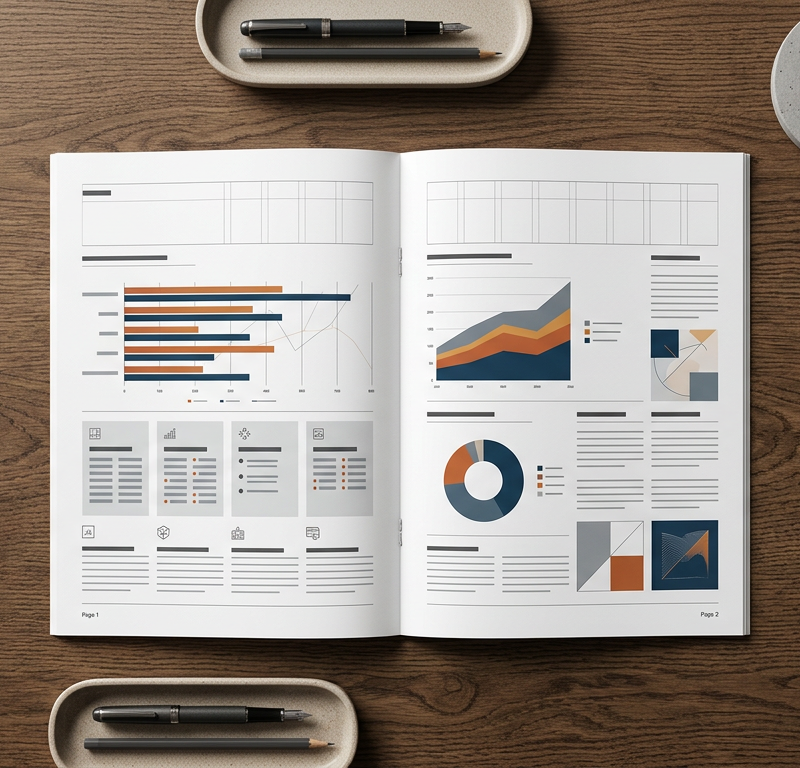
The annual report is often the most demanding publication of your financial year. The board wants an inspiring narrative that reassures investors, the finance department updates balance sheets up to the eleventh hour, and your design agency has to turn dense spreadsheets and corporate governance texts into clean, readable spreads. When corrections arrive scattered across multiple email threads, handwritten printouts, and uncoordinated PDF markups, nobody knows which figures are current or which draft the directors actually approved.
An annual report is a comprehensive document on a company's activities throughout the preceding financial year, intended to give shareholders, regulators, and other interested parties clear insight into operational progress and audited financial performance. In practice, modern annual report design bridges statutory accounting and strategic communications: it pairs required financial statements with the chair's statement, corporate governance reports, sustainability metrics, and infographics that reflect the organisation's brand identity.
This article is general information, not legal or accounting advice; filing deadlines depend on your jurisdiction and corporate structure.
Who works on the annual report and which deadlines apply
Producing an annual report involves multiple internal and external parties who often work with conflicting priorities. While the marketing and corporate communications teams focus on narrative flow and brand consistency, finance and legal teams prioritise regulatory accuracy and audit compliance. The core contributors include:
- The board of directors: Reviews strategic messaging, signs off on the chair's statement, and grants the final formal approval for publication.
- Finance and accounting: Supplies audited balance sheets, profit and loss statements, cash flow figures, and explanatory notes.
- Investor relations and corporate communications: Coordinates drafting, shapes corporate storytelling, and manages stakeholder reviews.
- External auditors: Examine financial tables and cross-reference them against notes and operational reports to ensure absolute consistency.
- Copywriters and proofreaders: Polish language, standardise terminology, and ensure editorial consistency across disparate chapters.
- The design agency or in-house studio: Develops the visual concept, typography, layout grid, data visualisations, and artwork.
- Prepress and commercial printers: Handle colour management, paper selection, binding, and final print production.
Filing deadlines are legally binding and form the fixed anchor for your entire schedule. In the United Kingdom, for example, directors must deliver accounts and reports for each financial year to the registrar under the Companies Act 2006, Section 441. According to Section 442, the filing deadline is nine months after the end of the accounting reference period for a private company and six months for a public company. Listed organisations also face strict reporting deadlines from stock exchanges and market authorities. Missing these dates can trigger statutory penalties and damage investor confidence, which is why your schedule must always run backwards from the statutory delivery date.
Why annual reports end in version chaos
Version chaos in report production rarely stems from poor intentions; it happens because financial figures remain volatile while design production is already underway. Unlike marketing brochures where text can be finalised weeks in advance, financial statements are often adjusted right up to the final audit sign-off.
When teams lack a structured publishing workflow, three systemic problems emerge:
- Parallel correction channels: Five departments review the same PDF draft at their desks. One person scribbles changes onto printed sheets, another emails a bulleted list, and a third adds sticky notes in Acrobat. The graphic designer must manually combine these conflicting notes, guessing which correction takes precedence.
- Spreadsheet pasting: When finance updates an EBITDA figure or restructuring provision, someone copies the revised numbers into InDesign manually. If different people pull figures from draft spreadsheets at different times, tables across the report quickly contradict each other.
- Unclear sign-off states: Reviewers comment on outdated file exports because attachments get buried in email chains. A board member might approve an introductory statement on Tuesday, unaware that legal revised two paragraphs on Wednesday morning.
Try it yourself: In the demo you work in a real draftgo workspace with sample data.
Producing an annual report in six steps
To bring structure to complex corporate reporting, separate content creation from visual typesetting and manage your approvals through clear stages.
1. Plan backwards from the publication date
Start with your statutory filing or annual general meeting date and map out milestones in reverse order. Factor in realistic buffers: commercial printing and binding for a comprehensive report require sufficient production time, while final board sign-off and auditor checks often take longer than expected. Set fixed deadlines for manuscript delivery, layout rounds, figure freezes, and print sign-off.
2. Set an editorial plan with clear chapter owners
Divide the report into distinct modules: strategic report, corporate governance, sustainability performance, and financial statements. Assign one named owner to each chapter. That owner is solely responsible for collecting draft copy, coordinating subject-matter feedback, and submitting an approved manuscript to the design team.
3. Approve text and manuscript before entering layout
Typesetting raw drafts wastes design hours and invites typo-prone corrections later. Ensure that text is fully copy-edited and approved in text documents before the agency starts laying out pages. When following standard brochure layout principles, establishing character counts and typographic hierarchies early prevents awkward line breaks and text overflow once pages are built.
4. Run joint PDF proof rounds with all stakeholders
Once the layout draft is ready, share it as a digital proof where all reviewers work on the same shared file. When board members, legal advisors, and communications managers see each other's feedback in real time, contradictory requests get resolved immediately rather than piling up in the designer's inbox.
5. Assign one gatekeeper for financial figures and tables
Designate a single person in the finance team as the numbers gatekeeper. No designer or editor may alter a table, chart, or balance sheet note without this gatekeeper's explicit written sign-off. When numbers change after audit checks, the gatekeeper supplies a consolidated update sheet covering all affected pages at once.
6. Secure board sign-off before prepress and digital release
Once all chapters and tables are reconciled, the board reviews the complete publication in a dedicated sign-off round. Once approved, the document is locked. The production team carries out a technical check using a preflight checklist for print files to verify bleed, resolution, and font embedding before handing off files to prepress. In parallel, an accessible, screen-optimised PDF or interactive web report is generated from the identical final data set.
Organising proof rounds in the PDF
Reviewing a multi-page annual report requires precision. General comments such as "clarify this paragraph" or "check these figures" lead to misunderstandings when multiple columns and footnotes share a spread.
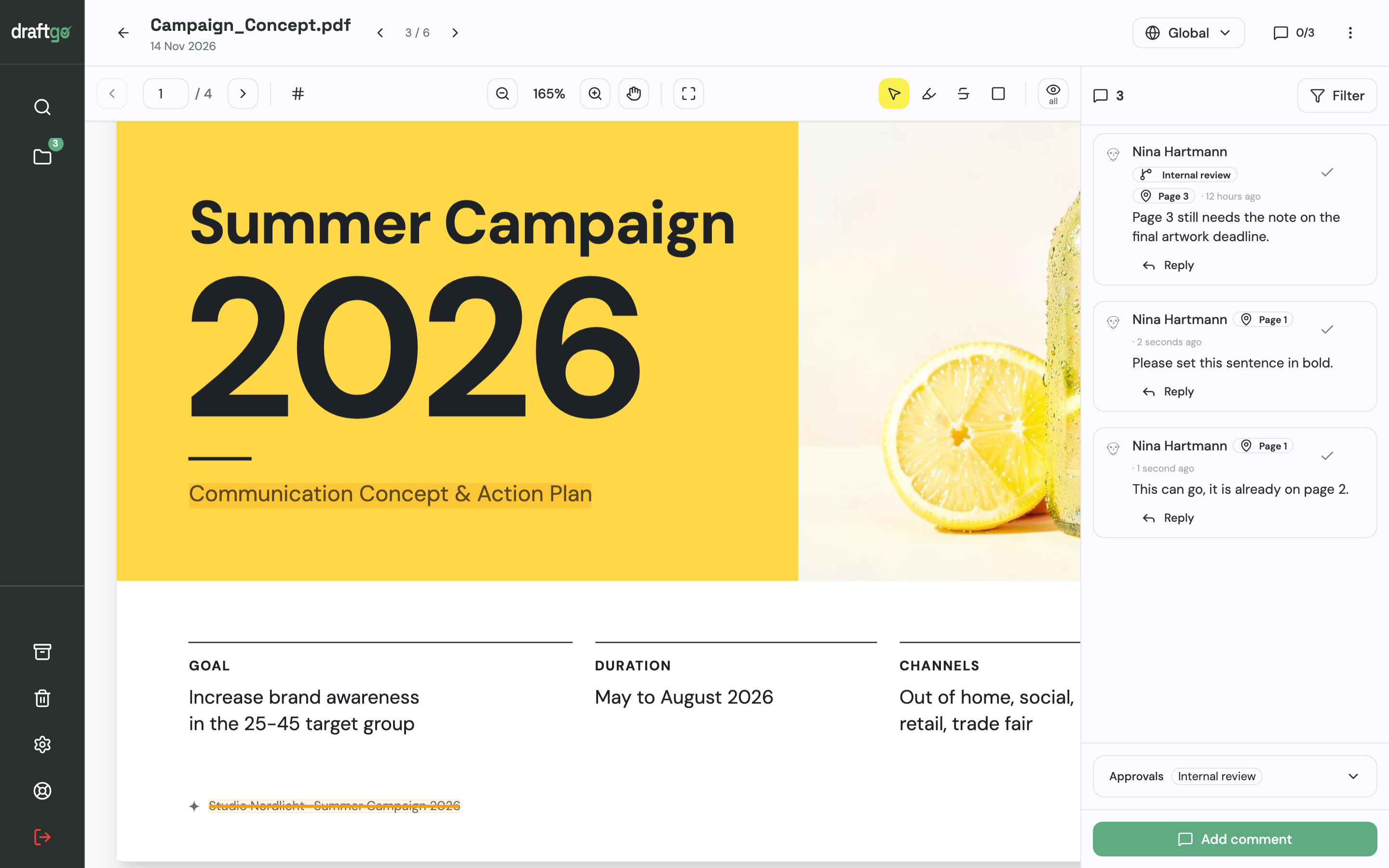
Effective proofing relies on clear visual markup directly on the layout page:
- Text highlights and strikethroughs: Use strikethrough tools for exact deletions and text highlights with attached notes for substitutions. This tells the typesetter precisely what to replace without deciphering handwriting.
- Point and rectangle markers: Use pin markers to indicate misplaced logos or misaligned chart axes, and draw boxes around entire tables when a layout rearrangement is required.
- Threaded clarifications: When an editor questions an audit footnote, the finance team can reply directly in the comment thread, keeping context intact for everyone in the loop.
Typical mistakes and better practice
The table below contrasts common failure points in annual report production with practical habits that prevent delays.
| Typical mistake | Impact on project | Better practice |
|---|---|---|
| Editing text and figures directly in the layout file | Typesetting budgets double as designers act as copy editors | Lock copy in text documents; place only approved text into design spreads |
| Multiple reviewers emailing separate PDFs | Contradictory change requests; hours lost consolidating notes | Review on a central platform where all stakeholders see existing comments |
| Updating financial tables piecemeal across several weeks | Discrepancies between narrative highlights, notes, and balance sheets | Institute a strict figure freeze; release audited figures in one batch |
| Informal board sign-offs over the phone or in chat | Disputed approvals and uncertainty over which version is final | Require formal sign-off in a logged approval loop with a clear version record |
| Designing print and digital reports from separate sources | Text and numbers drift apart between the printed book and the online PDF | Keep one master artwork document; derive both print and digital assets from it |
Practical scenario: coordinating a multi-page report under deadline pressure
Consider a communications lead at a growing manufacturing firm preparing a multi-page annual report. The firm works with a boutique design agency, while the chief financial officer and legal counsel review every page alongside the chief executive.
Three weeks before the printing deadline, the agency exports the third layout proof. In previous years, this stage caused significant friction: the CFO would print the PDF, red-pen several accounting disclosures, scan the sheets, and email them back. Meanwhile, the investor relations manager would send a separate Word document with updated market outlook notes. The designer, caught between conflicting edits, accidentally overwrote an approved revenue chart with an older draft.
This year, the team switches to a structured review workflow. The communications lead uploads the layout draft and invites the CFO, legal counsel, and the design director into a shared review loop. When the CFO strikes through a line in the governance chapter, the legal counsel spots the change immediately and adds a clarifying note in the same comment thread. The agency designer resolves the thread once the InDesign spread is updated.
When the external auditor issues a final restatement of pension liabilities, the finance gatekeeper uploads an annotated table directly to the spread. Because feedback happens in one place, the entire layout proof is reconciled four days ahead of schedule, leaving ample time for final board approval and commercial printing.
How it works in draftgo
Managing multi-page document and PDF reviews is straightforward in draftgo. Instead of circulating large attachments, your team uploads the annual report draft and invites internal colleagues and external clients to review it through a single browser link.
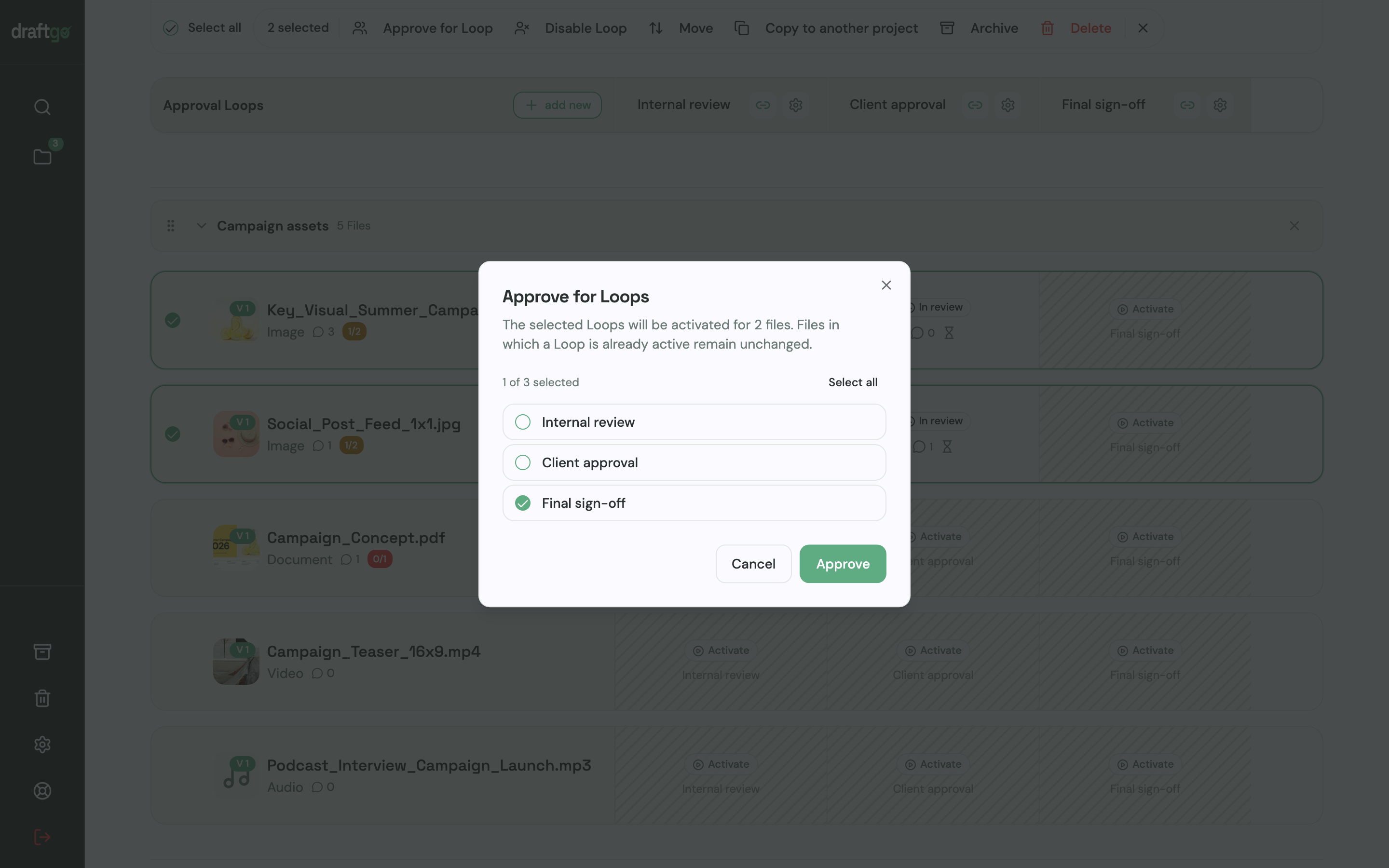
You can split the sign-off process into distinct review loops:
- Internal review: Communications and finance teams verify layout flow, chapter copy, and visual charts.
- Audit and legal review: Legal counsel and auditors review governance disclosures and financial notes.
- Board sign-off: Directors receive a clean, consolidated draft for formal sign-off.
Stakeholders do not need to create an account. They open their personal approver link and view the report in their browser. On the PDF pages, reviewers can place pins, draw rectangular areas, or highlight and strike through text. Each markup creates a comment card where team members can reply, use @mentions, attach updated reference files, and mark resolved changes as complete.
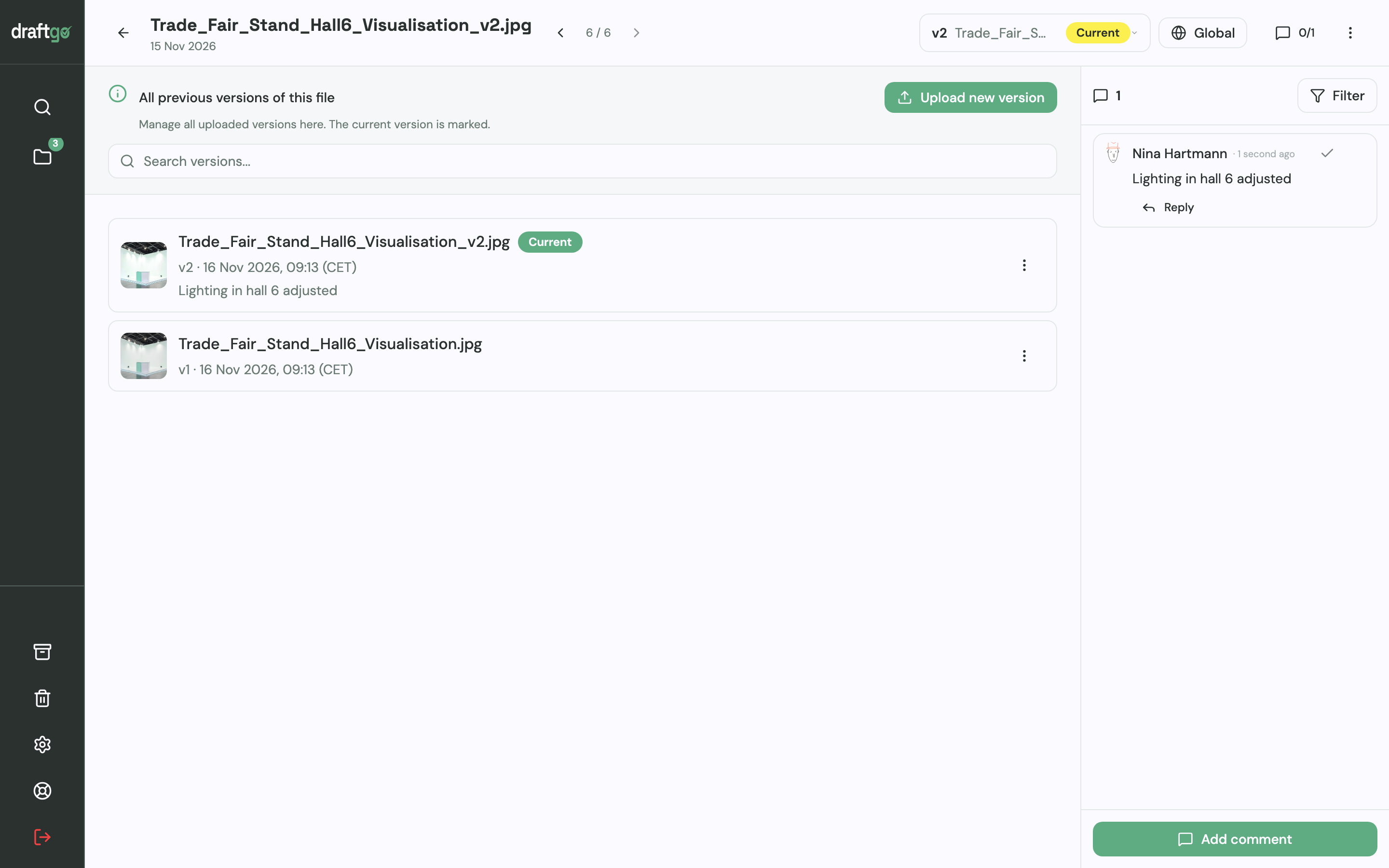
When your agency delivers an updated layout, you upload it as a new version of the existing file. The version history preserves every previous draft with its full comment history, while the new version resets approvals so reviewers can sign off on the revised pages. Our AI agent “GO” is available in the project chat to summarise open comments across loops or check text clarity on selected spreads.
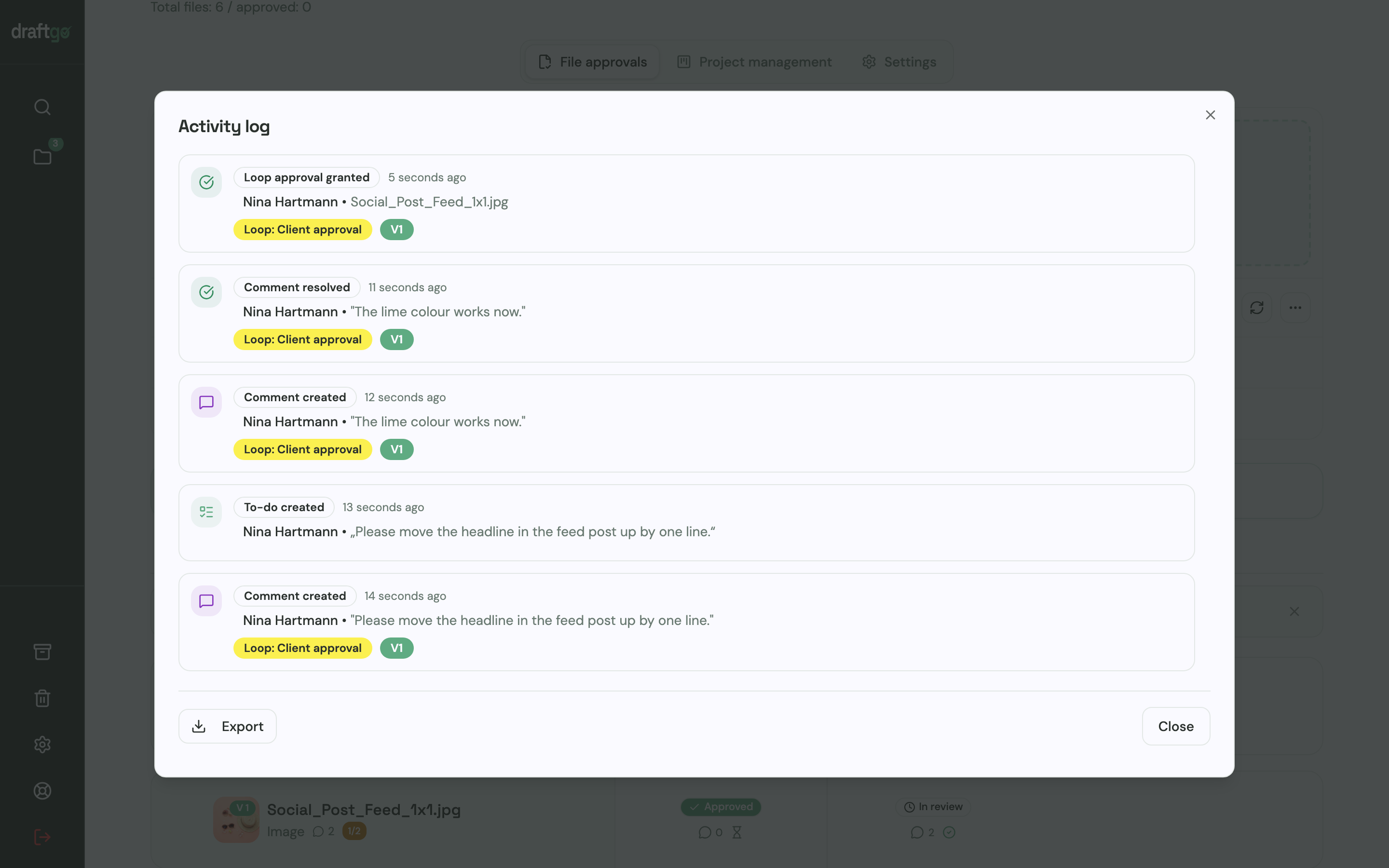
Every approval, comment, and version upload is recorded with a clear timestamp in the activity log. When audit season arrives, you can export the full log as a PDF or CSV file to prove exactly who approved which draft and when. Note that draftgo is designed for visual feedback and approval tracking; technical file checks and colour management remain with your prepress specialist and commercial printer.
FAQ
When should design work on an annual report begin?
Design concept work, including grid development, cover concepts, and typographic styling, should begin three to four months before publication. Laying out actual chapters can start as soon as narrative sections are drafted, while financial statements are typically formatted closer to the audit completion date.
How can we prevent financial figures from changing after layout sign-off?
Establish an agreed "figure freeze" date with the finance team and external auditors. Any numerical updates after this cutoff must be channelled exclusively through a designated finance gatekeeper, who verifies that changes are reflected consistently across narrative texts, infographics, and balance sheet tables.
Should we design for print or online publication first?
In most organisations, the multi-page PDF remains the master document because it satisfies statutory filing and archival requirements. Once the master layout and financial data are audited and signed off, the artwork is prepared for commercial print production and exported as an accessible, bookmarked digital PDF or converted into an interactive online report.
Why is email unsuitable for reviewing annual report drafts?
Email spreads feedback across disconnected inboxes, making it nearly impossible to trace conflicting change requests or identify which draft a reviewer commented on. A central visual review platform ensures that all contributors see existing notes on the actual page, eliminating duplicate edits and accidental overwrites.
Conclusion
Coordinating an annual report design without version chaos requires backward planning from filing deadlines, disciplined editorial chapter ownership, and a centralised review environment. By bringing the board, finance, and your design agency onto a shared PDF proof, you eliminate conflicting feedback, maintain absolute data integrity, and protect your print deadlines.
Try it free – draftgo is free for 14 days, no credit card needed.
Written by
Emilia
Content Producer
Ready to streamline your approval processes?
Get started with draftgo today and see how easy professional collaboration can be.