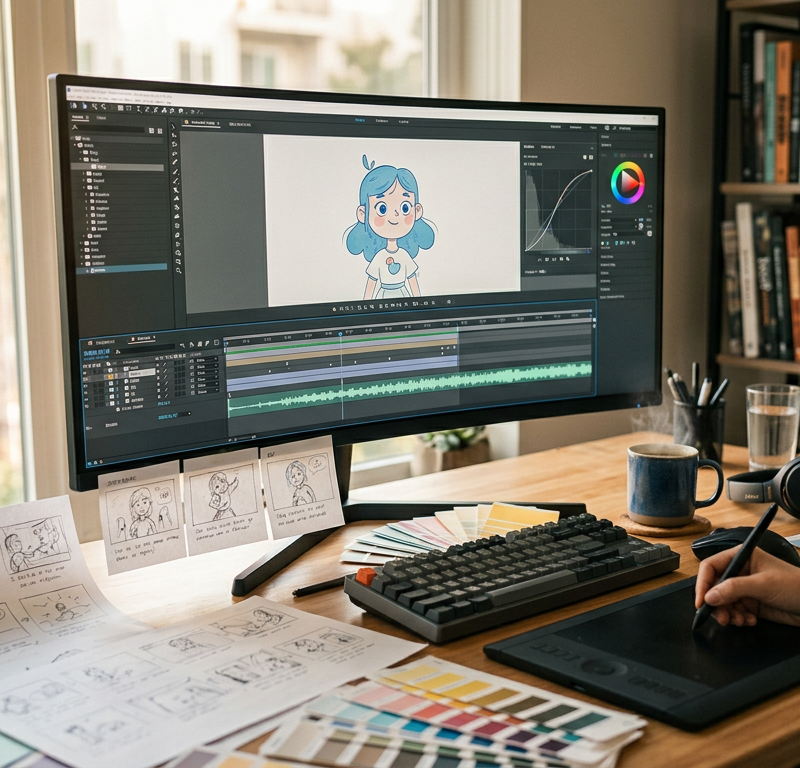
You plan an explainer video to introduce a new service, explain software or train staff. The briefing feels solid, an agency or freelancer starts working, and a few weeks later the first fully animated draft lands in your inbox. That is usually the moment when stakeholders suddenly notice that a claim is inaccurate, the tone feels too playful, or a technical step is missing.
Making changes at this stage means throwing away finished animation. Keyframes must be redrawn, voice recordings re-cast or patched, and the entire timeline reworked. A production that seemed manageable quickly runs two or three rounds over budget.
Producing an explainer video does not have to be unpredictable. When you structure the production into clear stages and secure approvals at three critical milestones, the team stays aligned and production costs remain entirely within plan.
Types of explainer video
Before writing a single line of script, you need to choose the visual format that fits your message, brand and budget:
- 2D animation: The classic format for digital products, services and workflows. Vector characters and graphic elements move across styled scenes. It offers high visual flexibility and remains relatively straightforward to adapt.
- 3D animation: Ideal for physical machinery, architecture, medical devices or consumer hardware where depth, lighting and internal components must be visualised realistically.
- Whiteboard and cut-out animation: A hand or minimalist graphic draws and moves elements across a plain background. It suits training modules and educational content where distractions must be kept to a minimum.
- Screencast with motion graphics: A recorded software interface enhanced with smooth zoom movements, highlighted mouse clicks and animated call-outs. This works well for SaaS onboarding and feature walkthroughs.
- Live action with animated graphics: Real video footage of people, offices or workshops combined with on-screen text, tracking pins and motion graphics to explain abstract data alongside real-world context.
Why explainer videos cost more than planned
In animation, you cannot simply reshoot a two-second clip on a phone. Every second of finished video involves illustration, rigging, movement curves, sound mixing and rendering. Most budget overruns happen because teams treat an animated explainer video like a text document where revisions can be made right up to the delivery day.
The most frequent causes of rising costs include:
- Text changes during animation: If marketing rewrites a sentence after the voice-over is recorded, the voice artist must return to the booth. Because the new sentence alters the audio duration, the animator must re-time all subsequent visual transitions.
- Subjective feedback without consolidation: Three internal reviewers send three separate emails with conflicting opinions on character hairstyles or background colours.
- Skipping the animatic: Moving directly from static illustrations to final animation saves a few days initially, but conceals pacing flaws that become expensive to fix later.
- Vague feedback: Comments like "make this section more dynamic" leave the animator guessing, which inevitably triggers second and third revision loops.
Try it yourself: In the demo you work in a real draftgo workspace with sample data.
Making an explainer video in 8 steps
A professional animation project runs through eight logical stages. Each stage builds directly on the previous one, ensuring that creative decisions are locked in before labour-intensive work begins. This sequence mirrors a structured video production workflow that protects both agency and client.
1. Brief
The brief establishes the foundation. It defines the target audience, the single core message the viewer should retain, the call to action, and the channels where the video will be hosted. Trying to explain three different products in one ninety-second video invariably dilutes the message.
2. Script
The script consists of two parallel columns: spoken text (voice-over) on one side and a description of the visual action on the other. Video duration is governed strictly by word count. At an average speaking pace of 130 to 140 words per minute, a 90-second explainer video allows roughly 200 words. A spoken test read with a stopwatch is essential to verify running time before anything is designed.
3. Voice casting and recording
Once the script is approved, you select a professional voice talent. The voice artist receives guidance on pronunciation, tempo and tone. The final studio recording serves as the acoustic foundation that animators use to build the visual rhythm.
4. Style frames
Style frames are full-colour, high-resolution still images that demonstrate exactly how the finished video will look. They define characters, typography, iconography, lighting and brand colour palettes. Style frames turn abstract brand guidelines into concrete visual scenes.
5. Storyboard and animatic
The storyboard sketches every scene sequentially. To test how the sequence flows in time, the team produces an animatic. According to standard industry practice as documented on Wikipedia's guide on animatics, an animatic is a sequence of still storyboard images played in synchronisation with a rough dialogue track or soundtrack. It allows directors, animators and clients to evaluate timing, scene transitions and image-to-audio fit before committing to full motion.
6. Animation
Once the animatic is locked, animators create the movements. They rig characters, animate layout transitions, configure particle effects and set motion blurs. Because timing and assets were confirmed in prior stages, this phase focuses entirely on kinetic quality.
7. Sound design and music
Background music establishes the emotional tone, while bespoke sound effects (SFX) ground visual actions. Button clicks, whooshes, ambient room tones and subtle impacts make digital graphics feel tangible. The audio engineer balances voice, music and effects into a clean final mix.
8. Final approval
The full video is reviewed in its final form. Stakeholders review the edit for export quality, correct titling and legal disclaimers. Once signed off, the production team exports masters in the required resolutions, aspect ratios (such as 16:9 for websites and 9:16 for social media) and language variants.
The three approvals that matter: script, style frames, animatic
If you want to produce an explainer video without budget drama, you do not need ten separate review cycles. You need three decisive sign-offs.
Script Approval (Text & Claims)
         │
         ▼
Style Frames Approval (Look & Brand)
         │
         ▼
Animatic Approval (Timing & Sequence)
         │
         ▼
Full Animation & Final Sound Mix
- Sign-off 1: The script. This sign-off freezes content, technical claims, legal phrasing and product terminology. Once the script is signed off, no text edits are permitted without revising the schedule and budget.
- Sign-off 2: The style frames. This sign-off freezes visual aesthetics. Brand managers, marketing leads and creative directors confirm that characters, colours and typography represent corporate design.
- Sign-off 3: The animatic. This sign-off freezes narrative pacing, visual order and scene durations. When the client signs off the animatic, they approve how image and voice interact.
When these three gates are respected, the final review of the animated film becomes a simple verification rather than a creative renegotiation, much like in a professional corporate video production.
Cost drivers
The production cost of an explainer video is shaped by several distinct technical and creative factors:
- Video length: Running time directly dictates the number of voice lines, scenes and rendering hours.
- Visual style and detail: A minimalist 2D cut-out or flat icon video requires significantly fewer production hours than a fully shaded 3D animation with complex character physics.
- Number of characters and environments: Designing, rigging and animating individual human figures takes substantially longer than animating geometric shapes, typography or interface mock-ups.
- Language versions: Producing additional language tracks requires localised voice talent, re-timed animation to match different sentence lengths, and translated on-screen typography.
- Music licensing: Standard royalty-free tracks carry modest commercial fees, whereas custom-composed music or bespoke sound design packages require specialised audio engineering.
- Revision rounds outside the process: Unplanned creative shifts after animation has commenced represent the single largest variable cost driver in explainer video projects.
Artificial intelligence and the EU AI Act
Many production teams now explore synthetic voice models or generative imagery to streamline production. If your explainer video reaches audiences within the European Union, you must observe regulatory transparency standards. Under Article 50(4) of the EU AI Act, documented on the EU AI Act Service Desk, deployers of an AI system that generates or manipulates image, audio or video content constituting a deep fake must disclose that the content has been artificially generated or manipulated.
This transparency obligation applies, for example, when using synthetic voice engines or digital avatars that resemble real people. This article is general information, not legal advice.
Common mistakes and better practice
| Phase | Common mistake | Better practice |
|---|---|---|
| Briefing | Trying to pack an entire company portfolio into a two-minute clip. | Focus on one audience persona, one problem and one tangible solution. |
| Scripting | Approving voice-over text by reading it silently on a screen. | Read the script aloud with a stopwatch at speaking pace to verify duration. |
| Visuals | Reviewing characters and colours for the first time in finished animation. | Sign off static style frames before illustration and rigging begin. |
| Pacing | Animating scenes directly from a written storyboard without a timing test. | Build an animatic with rough audio to lock scene pacing and cuts. |
| Feedback | Collecting unstructured notes across multiple email threads and chat messages. | Appoint one coordinator to consolidate feedback directly at specific timestamps. |
Practical scenario: The delayed software explainer
A B2B software company commissioned a 90-second 2D explainer video for an upcoming platform launch. During pre-production, the marketing lead approved the script via email without consulting the product engineering team. Style frames were viewed and approved quickly, but the team skipped the animatic stage to save five days on the schedule.
Two weeks later, the agency delivered the first fully rendered animation. When product engineering reviewed the file, they immediately pointed out that a crucial cloud integration step was depicted incorrectly. Fixing the error required writing a new script paragraph, re-recording the voice talent, throwing out twelve seconds of finished character animation, and drawing three new interface illustrations.
The revision added two weeks of delay and thousands of pounds in extra production hours. Had the team tested the scene flow in an animatic and conducted a mandatory internal review of the script with product managers, the error would have been spotted when it was still a plain sketch.
How it works in draftgo
Managing feedback across scripts, illustrations, animatics and video cuts can easily descend into email chaos. draftgo brings every asset of an explainer project into one structured workspace.
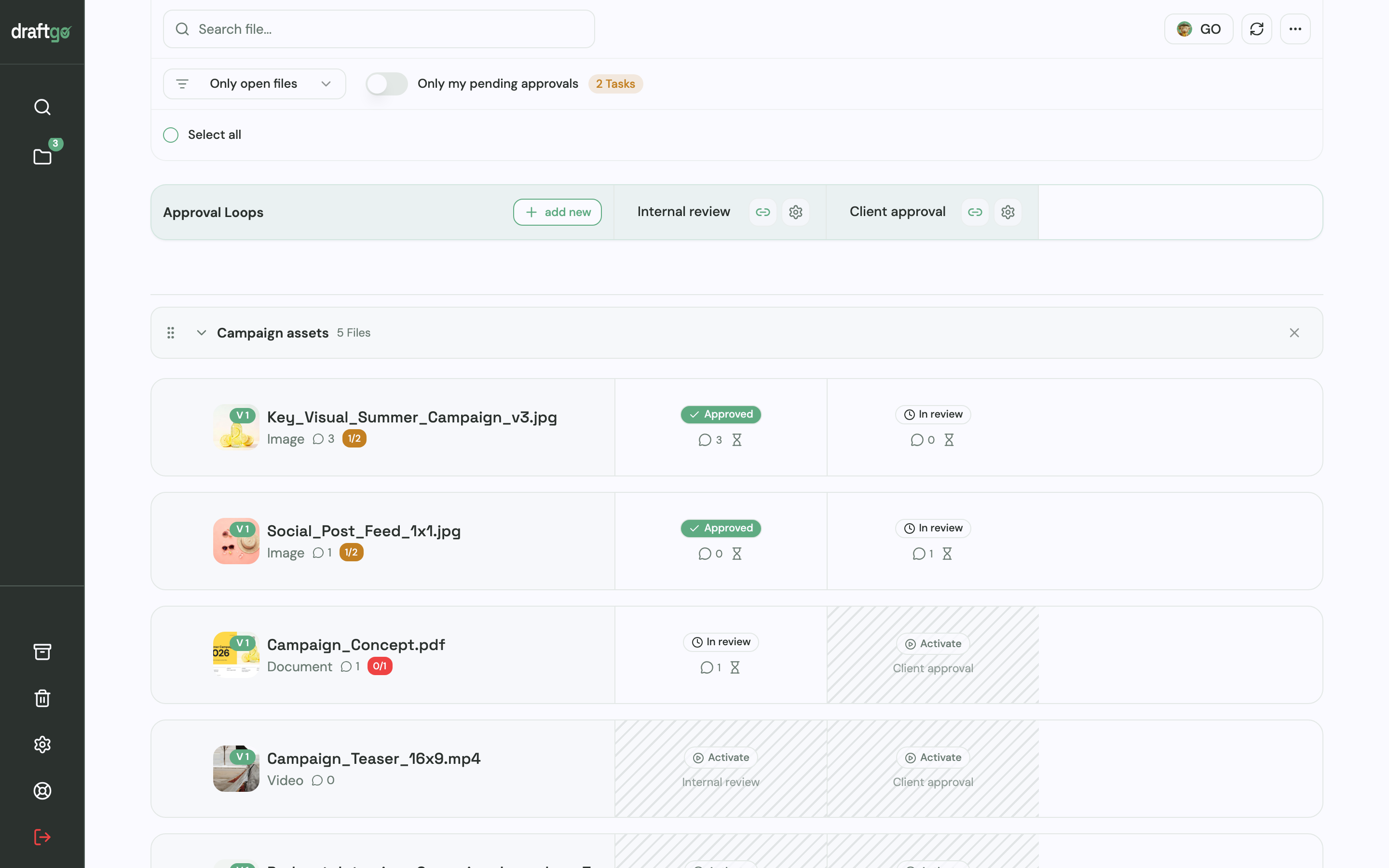
For your project, you create a dedicated folder with sections for pre-production, visual development and video cuts.
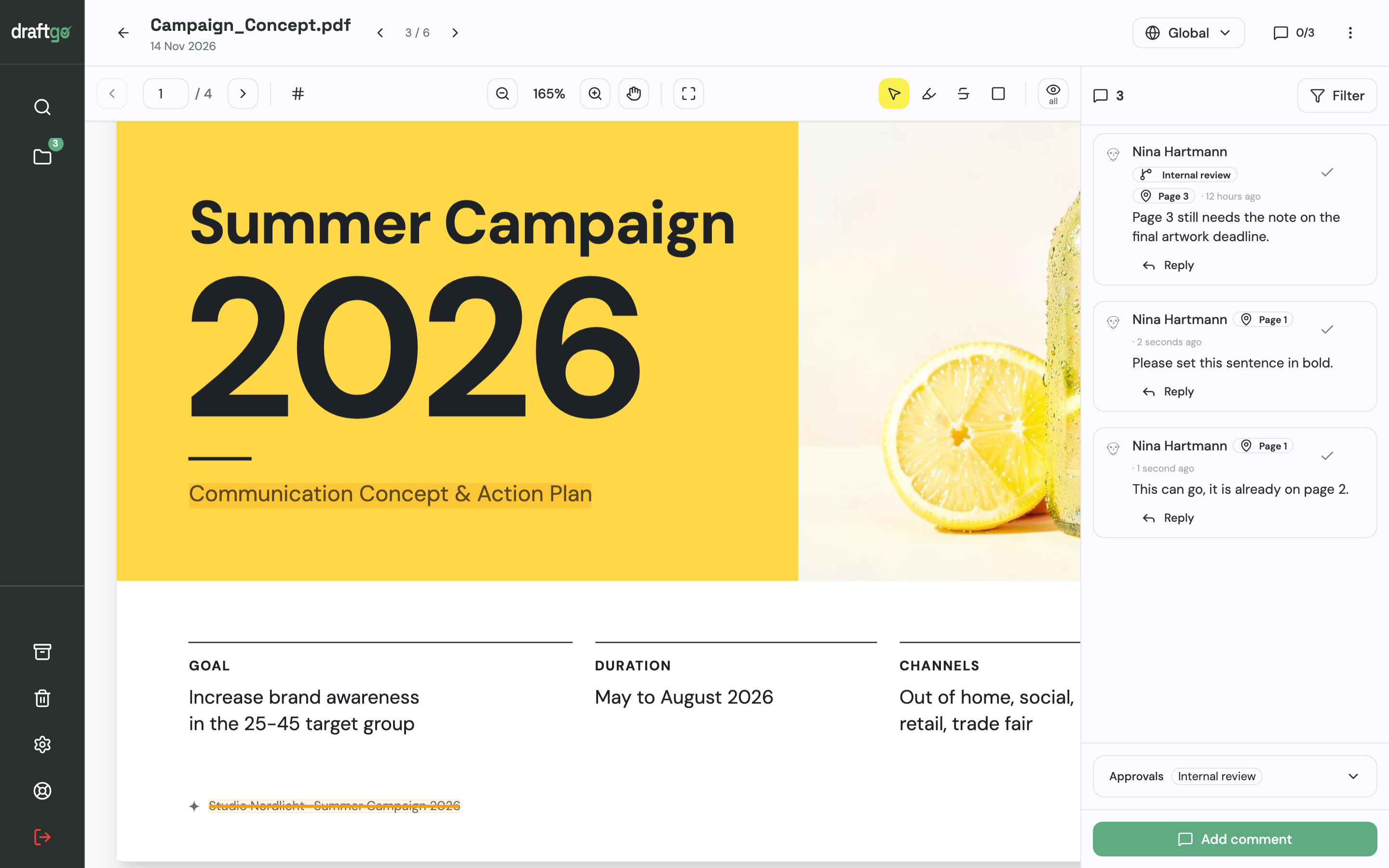
- Reviewing scripts: Upload your script as a PDF. Word files are automatically converted to PDF upon upload. Legal, marketing and product stakeholders highlight sentences directly on the page, strike out outdated terms, or leave precise comments.
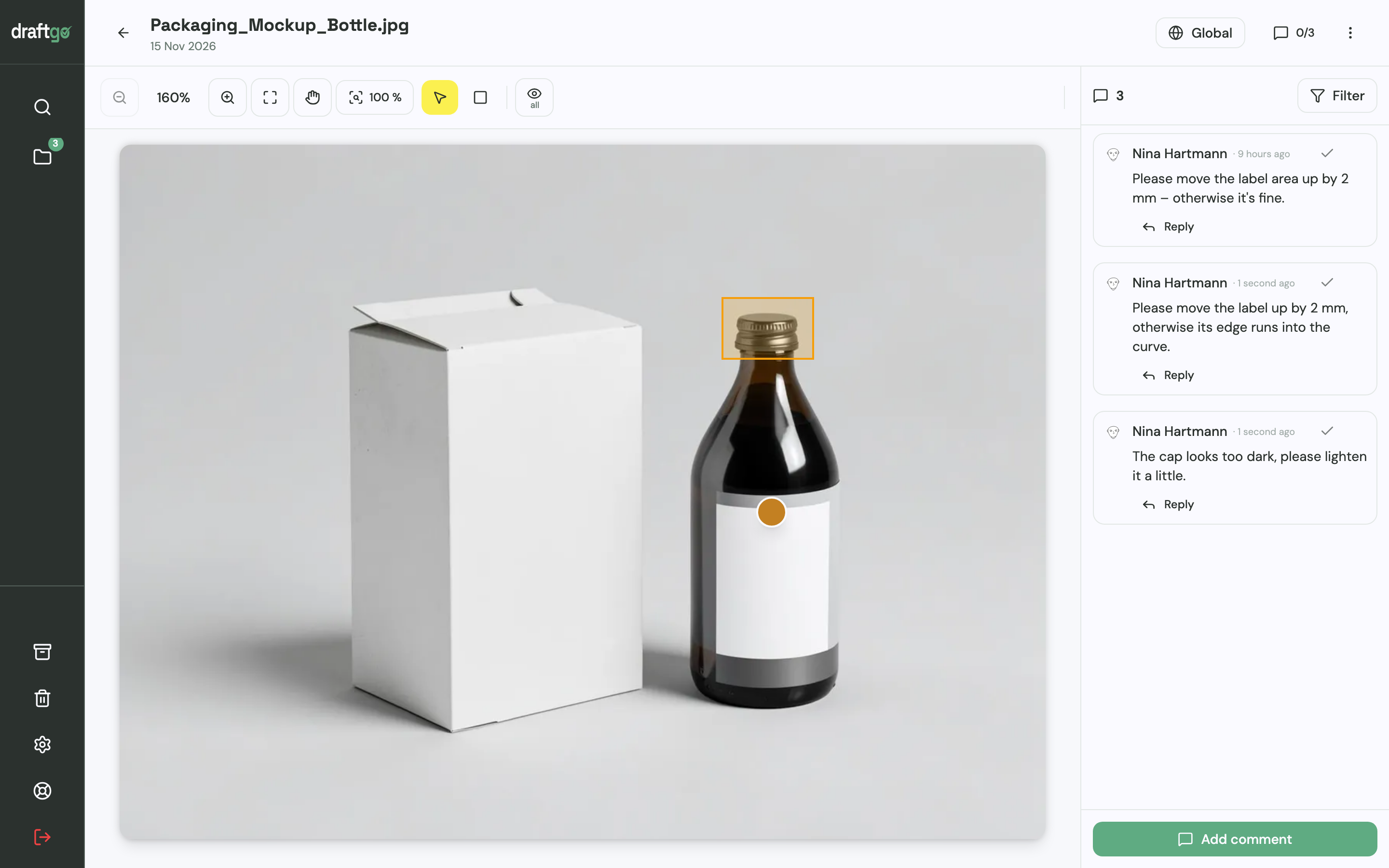
- Approving style frames: Upload your visual designs and character illustrations as images. Reviewers place pins or draw rectangles around specific elements to discuss colours, wardrobe or typography at full resolution.
- Annotating animatics and cuts: When you upload your voice tracks, animatics and animated video drafts, reviewers leave feedback tied directly to the exact second on the timeline. Pausing the playback lets you type a note that anchors immediately to that point in time.
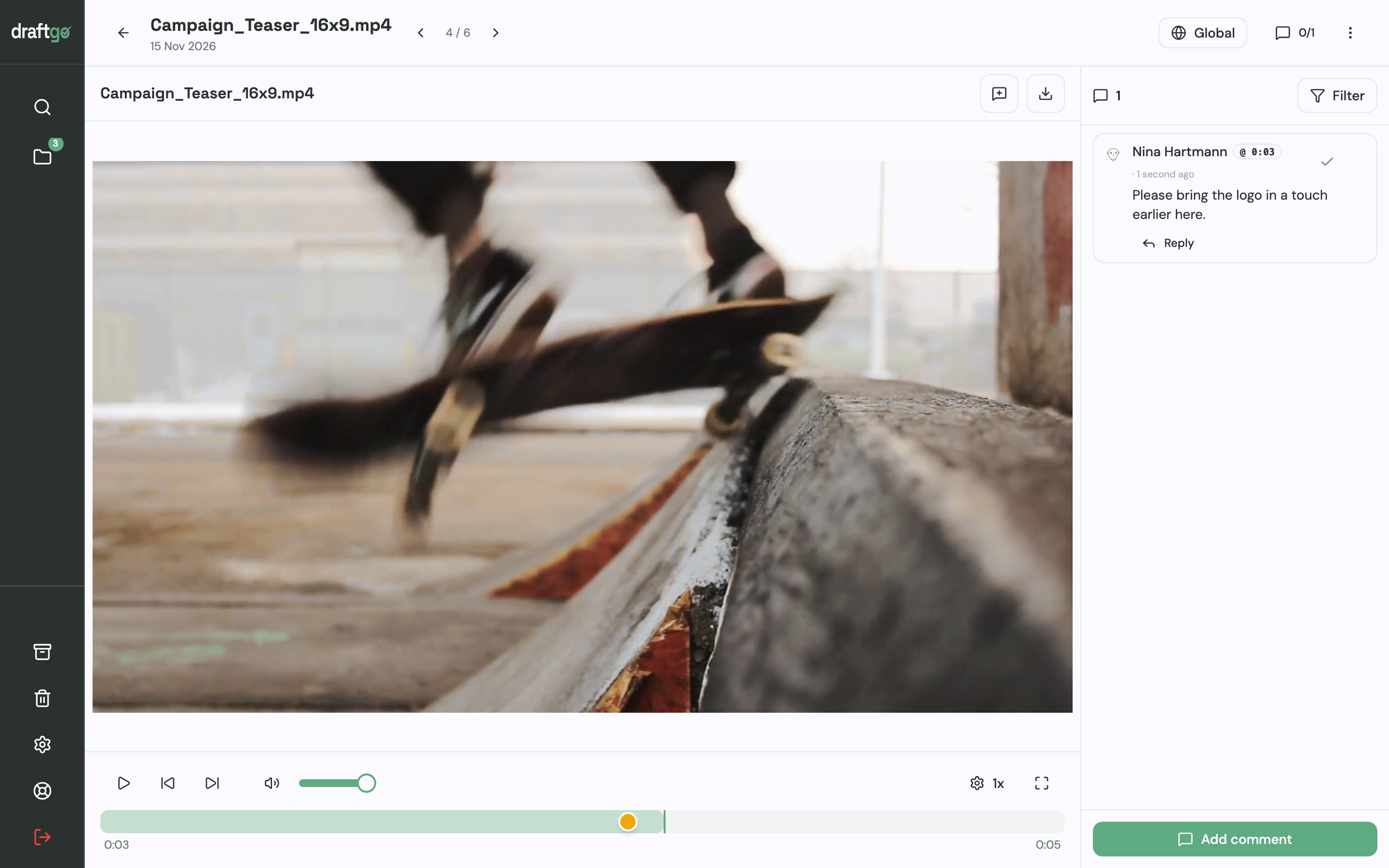
Clients and external stakeholders review files via a secure guest link without creating an account.
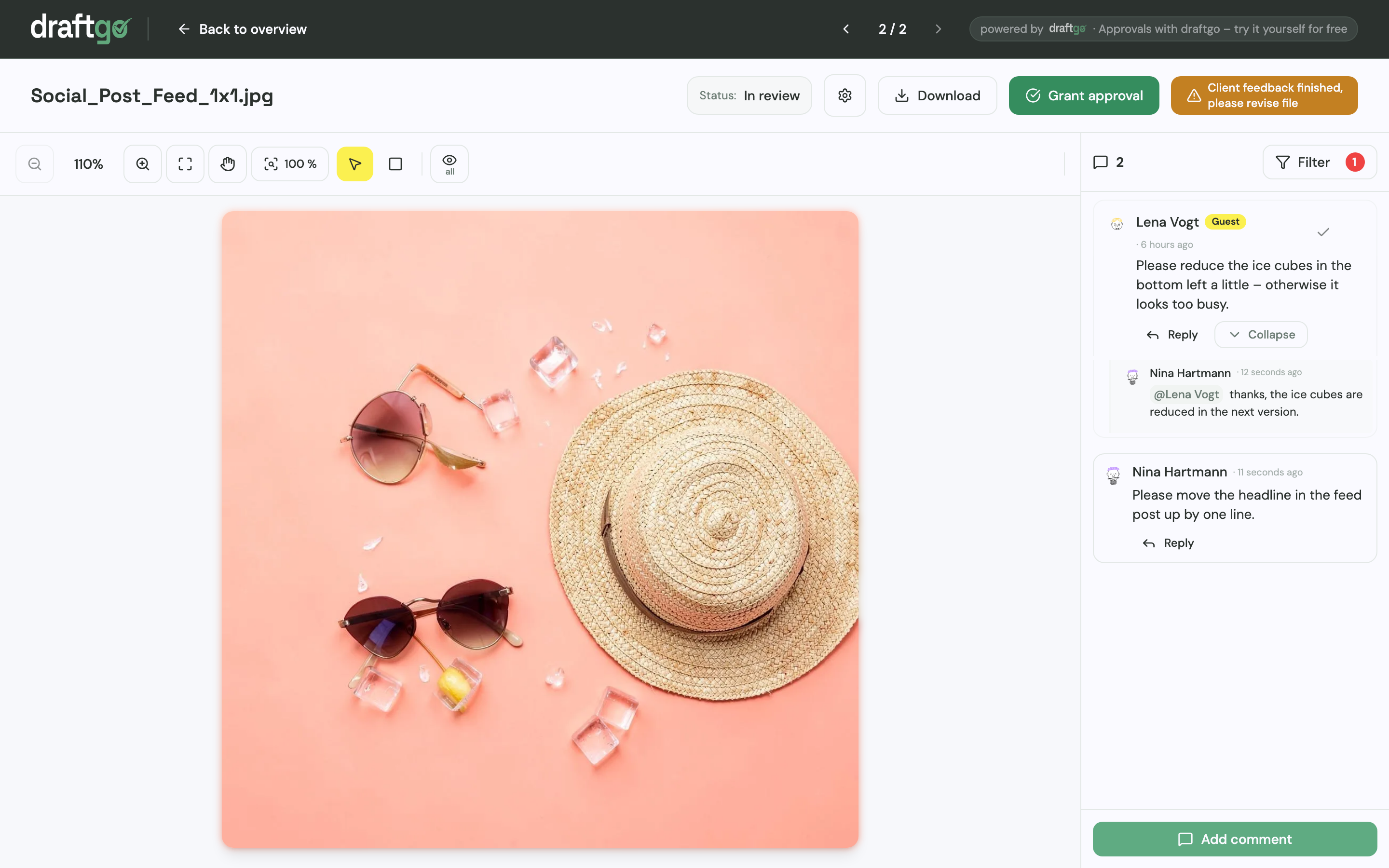
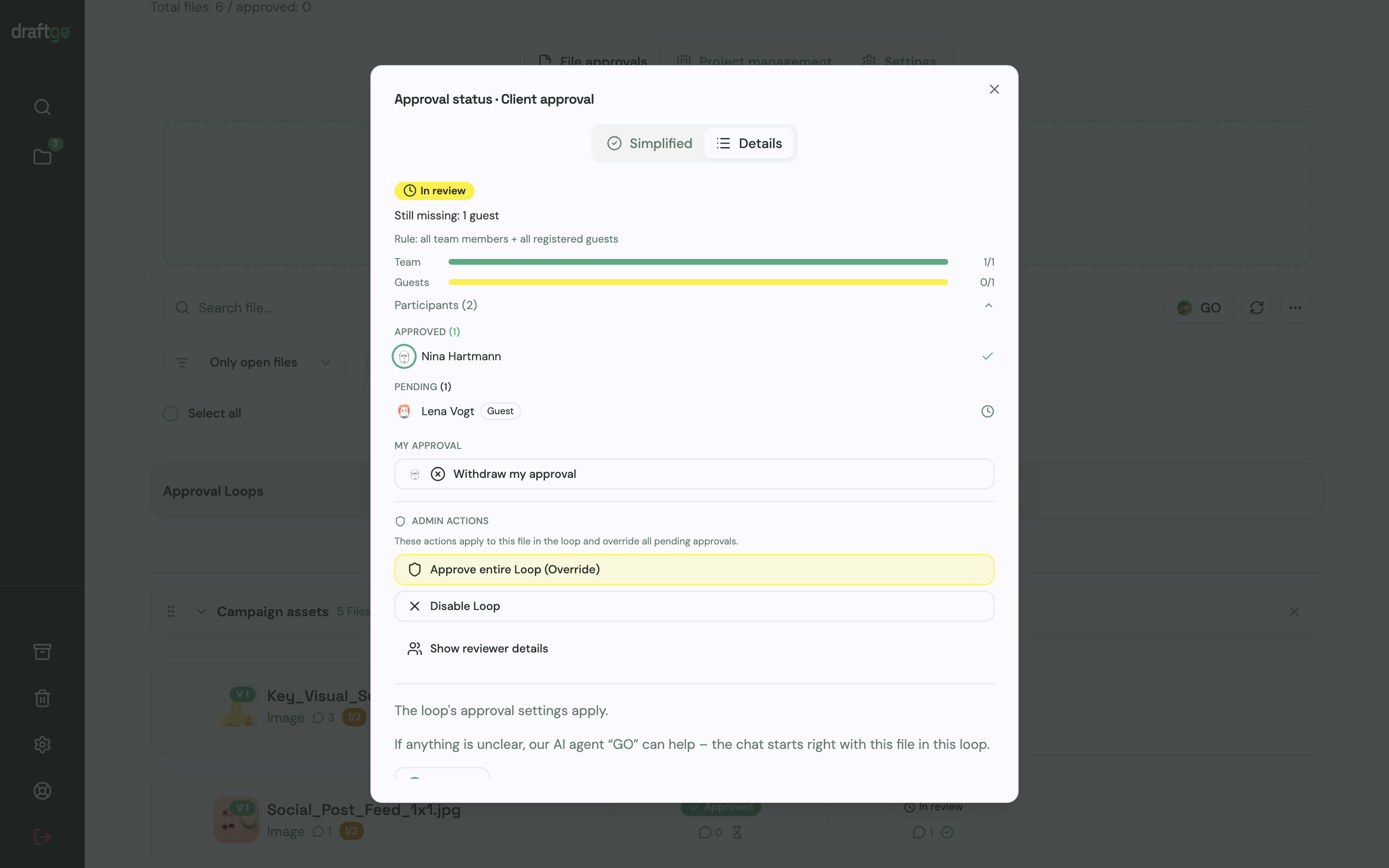
Approvals run in dedicated loops. You can set up an initial loop for internal creative review, followed by a second loop for client sign-off. When revisions are complete, you upload the revised animation as a new version of the existing file. Earlier drafts and comments remain accessible in the version history, while the new version resets approvals so everyone can confirm the latest cut.
Production files are safely handled: stored data is kept on EU servers in the Frankfurt data centre. Our AI agent “GO” answers questions about open tasks in the project and can assist in checking static graphics or documents for formatting oversights.
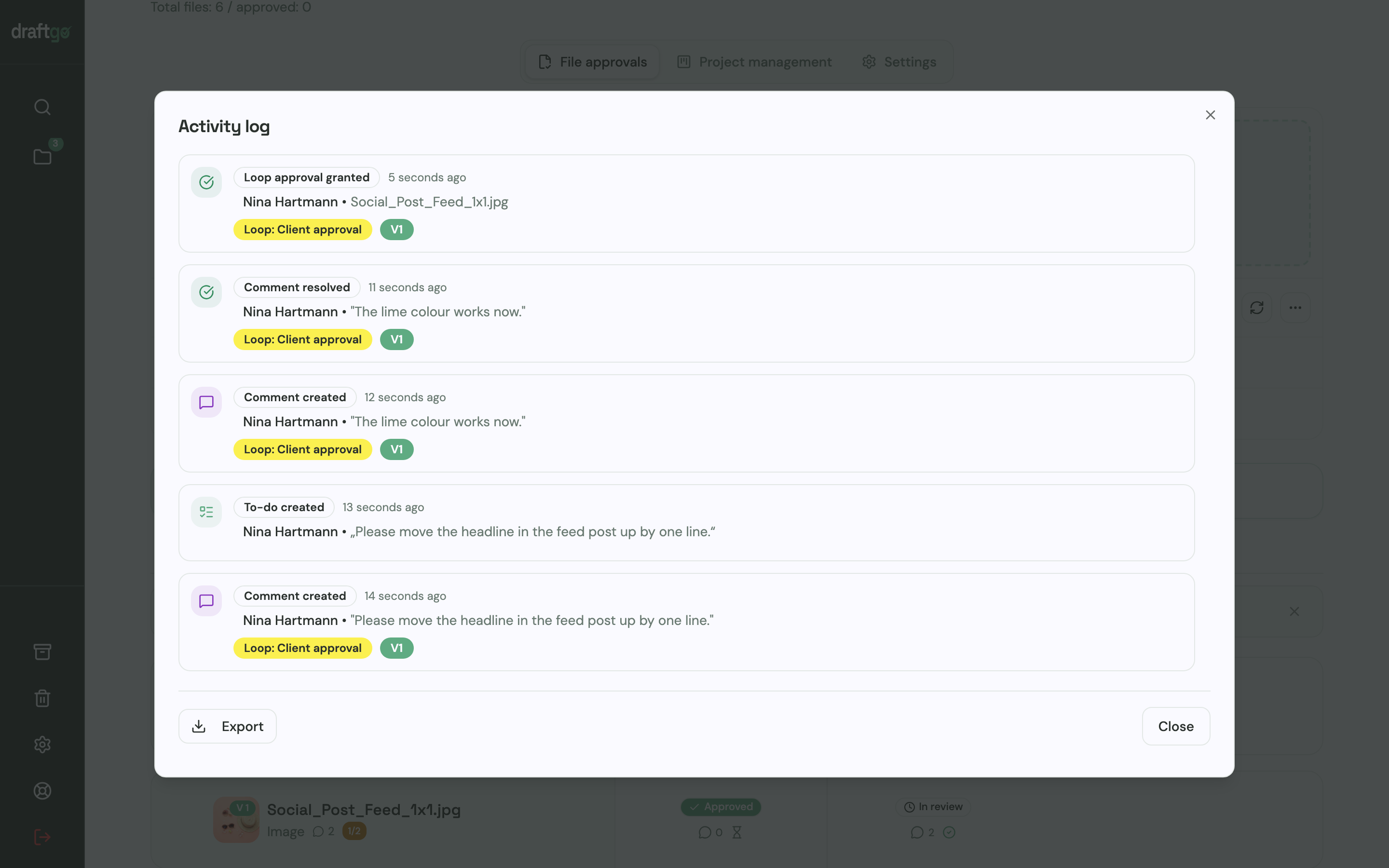
Every approval, comment and version update is logged with a clean timestamp in the exportable activity log, giving both agency and client total clarity on what was agreed. Learn more about tailored workflows on our page for video production teams.
FAQ
How long should an explainer video be?
Most commercial explainer videos perform best between 60 and 90 seconds. This window provides enough room to state the user's problem, present the solution, and prompt an action without losing viewer attention. Highly technical B2B walkthroughs can run up to two minutes if the narrative remains strictly focused.
What is the difference between a storyboard and an animatic?
A storyboard is a series of static sketches showing key visual scenes alongside written descriptions of action and dialogue. An animatic takes those storyboard sketches and places them onto a video timeline in sync with rough voice tracks and sound effects. The animatic demonstrates actual pacing and transition timing before animation begins.
When should voice-over talent be recorded?
Voice recording should happen immediately after the script is signed off and before full animation begins. Because animation timing is constructed around the cadence, breathing and pauses of the spoken word, animating before recording almost always leads to awkward scene stretching or costly timing adjustments.
How do we prevent conflicting client feedback on video drafts?
Client teams should appoint a single project lead who consolidates all internal comments before passing them to the creative team. Using a centralised review tool where reviewers see each other's timestamped notes in real time prevents contradictory instructions and eliminates duplicated feedback.
Conclusion
A successful explainer video requires clear narrative focus and disciplined pre-production. By locking in the script, style frames and animatic through structured sign-offs, you eliminate expensive revisions in the animation timeline and deliver projects on schedule.
Try it free – draftgo is free for 14 days, no credit card needed.
Written by
Emilia
Content Producer
Ready to streamline your approval processes?
Get started with draftgo today and see how easy professional collaboration can be.